
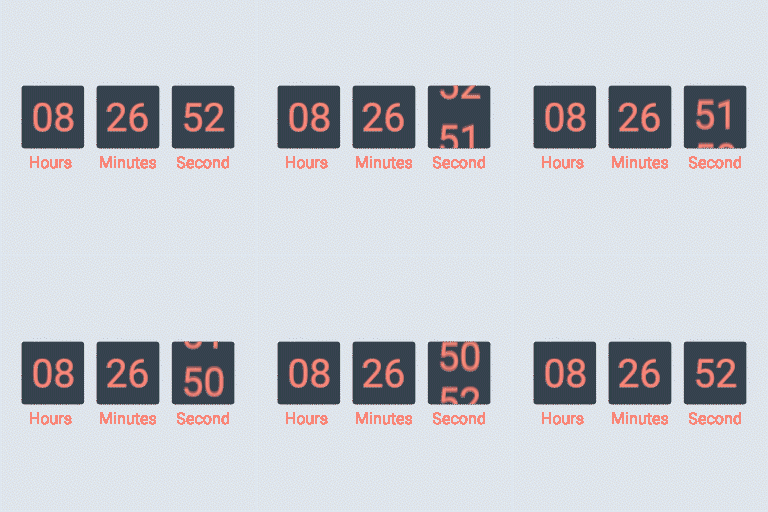
Descriere
WooCommerce countdown timer helps to motivate customers purchasing. Many shop owners use WooCommerce countdown timer in sale events, promotions to boost sale, improve sales and revenue. Has your site have WooCommerce countdown timer plugin yet, let’s find out the WooCommerce countdown timer plugin from VillaTheme.
Sales Countdown Timer is a plugin that allows shop owners to boost the Sales in the Sale Campaigns. The plugin can display WooCommerce countdown timer any pages by shortcodes. It is a must-have plugin for encouraging customers to purchase by creating urgency psychology.
FEATURES
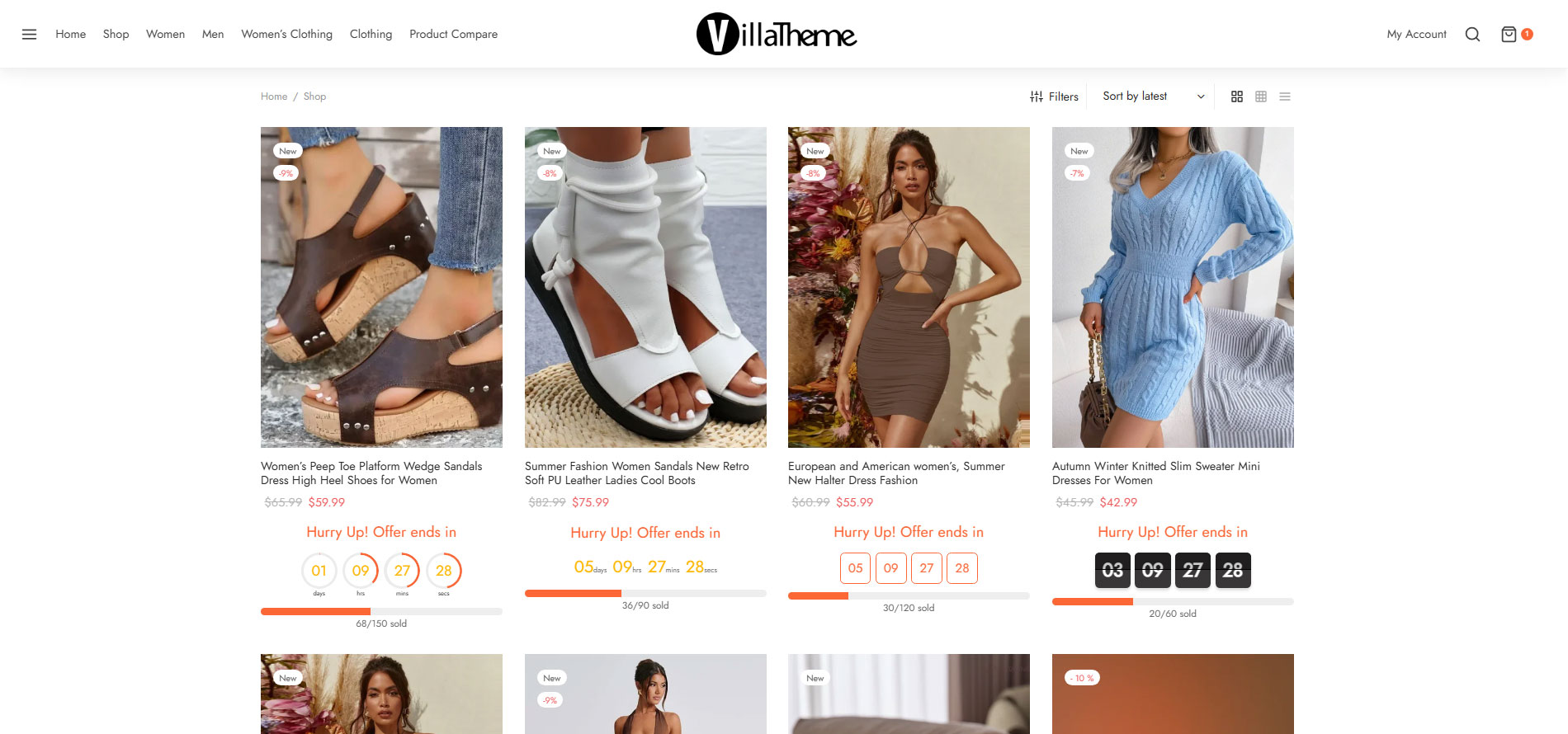
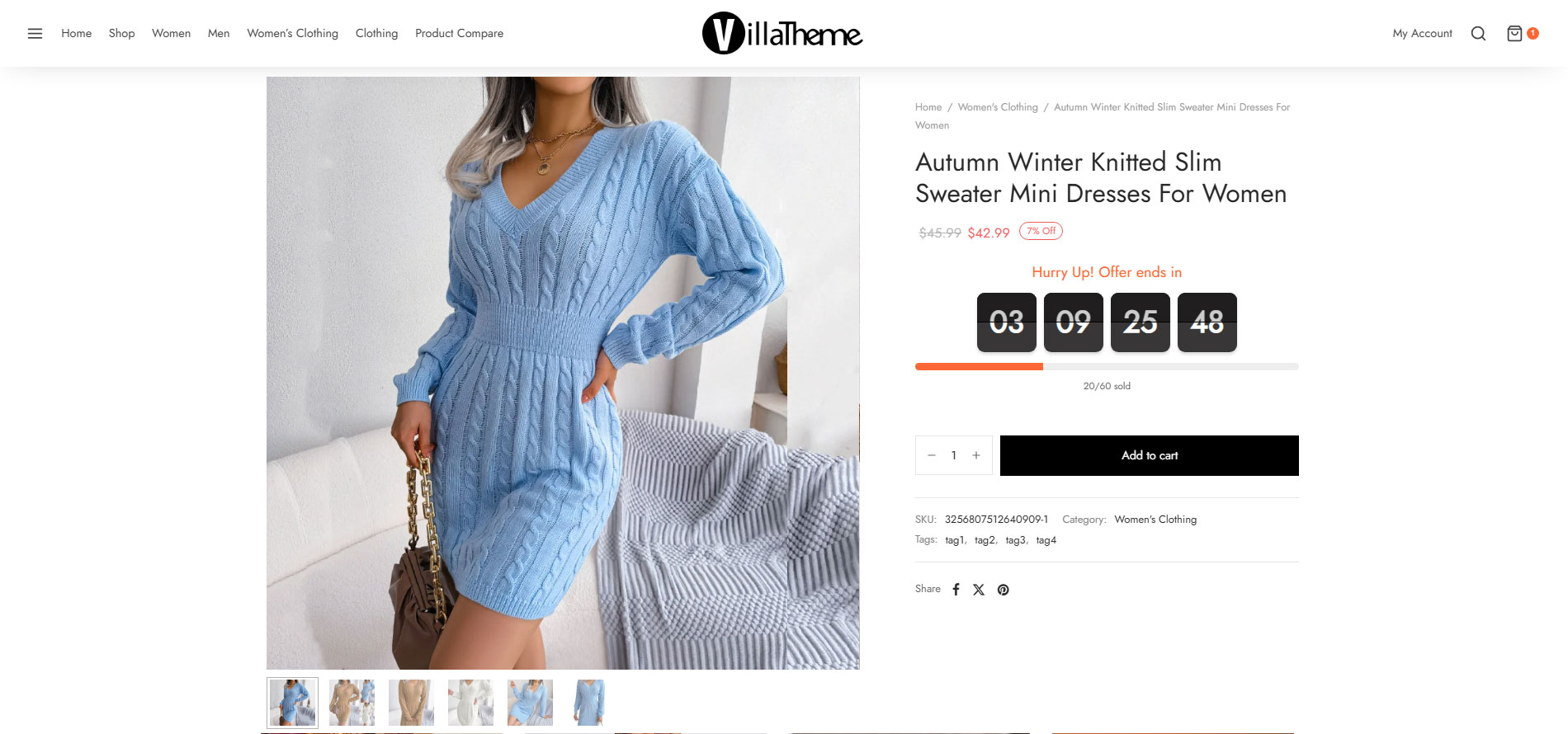
► WooCommerce Countdown Timer: The plugin displays sales countdown timers in single product pages and the shop page of WooCommerce. The clocks will notify customers when the sales end or how many sale product quantities left. In WooCommerce single product, you can select Sales Countdown Timer settings and schedule sale campaigns.
-
Select Sales Countdown Timer profile in WooCommerce single product page, variation products, and select Sales Countdown Timer for bulk products.
-
Display countdown clock base on WooCommerce sale scheduled time
-
Select specific sale time: WooCommerce allows you to schedule sale time by date. With Sale Countdown Timer you are able to select specific sale time by hours and minutes.
-
Position in single product pages: select where the countdown clock will be displayed in single product pages. There are many options for you to select: before product price, after product price, before sale flash badges, after sale flash badges, before „add to cart” button, after „add to cart” button, in the product picture.
-
Position in archive pages: select where will the countdown click appear in archive pages like shop page, categories pages. There are many options for you to select: before product price, after product price, before sale flash badges, after sale flash badges, before „add to cart” button, after „add to cart” button, in the product picture.
-
Display in shop page, categories page, related products: you have options to choose display or hide the countdown clock on these pages.
-
Upcoming sale message: When you schedule a sale campaign in future, you can choose to display an upcoming sale message in the single product page. The messages can be customized with a shortcode display how many time left until the sale time.
-
Sale ends message: display when will the sale finish message with the shortcode {countdown_timer}.
-
Shortcode: the shortcode {countdown_timer} will display the countdown clock.
► Sale Progress bar – Stock quantity bar: The plugin displays a progress bar display how many products are available for the sale campaign, how many products are sold and how many left.
-
Progress bar message: Configure the sale progress bar message as you want with shortcodes.
-
Shortcodes:
-{quantity_left} – Number of products left
-{quantity_sold} – Number of products sold
-{percentage_left} – Percentage of products left
-{percentage_sold} – Percentage of products sold
-{goal} – The goal that you set on the single product page
-
Progress bar type: select to display the sale progress as increase or dicrease.
-
Order status: select what order status that will be counted in the progress bar.
-
Position: there are 2 positions for the sale progress bar above the countdown clock and below the countdown clock.
-
Design: configure the frontend of the progress bar with options for width, height, background color, text color and border-radius.
► Shortcodes Countdown Timer:The plugin does not require WooCommerce to work. You can display countdown clocks anywhere by using shortcodes. Settings for Countdown Timer shortcode are similar with the WooCommerce Countdown Timer, the difference is that WooCommerce Countdown Timer displays WooCommerce sale time and the Countdown Timer shortcode display your chosen time.
-
Display countdown timer by shortcodes.
-
Select countdown time in the plugin backend.
► Multiple setting profiles:The plugin allows you to set up as many Countdown Timer profiles as you want. Each profile is completely a standalone Sales Countdown Timer. With each profile, you are able to set up full settings include General settings, Design settings.
► Design:Feel free to design the sales countdown timer to fit with your website front-end.
-
Time display: select the time separator style and time format style.
-
Countdown timer clock design: configure front-end style with text color, background color, border color, padding, and border-radius.
-
Countdown timer item design: design the items inside the countdown timer, such as date item, hour item.
-
Design the time value: time value includes the time number and unit. Custom it with font size, text color, and background color.
PREMIUM FEATURES
All features from the free version.
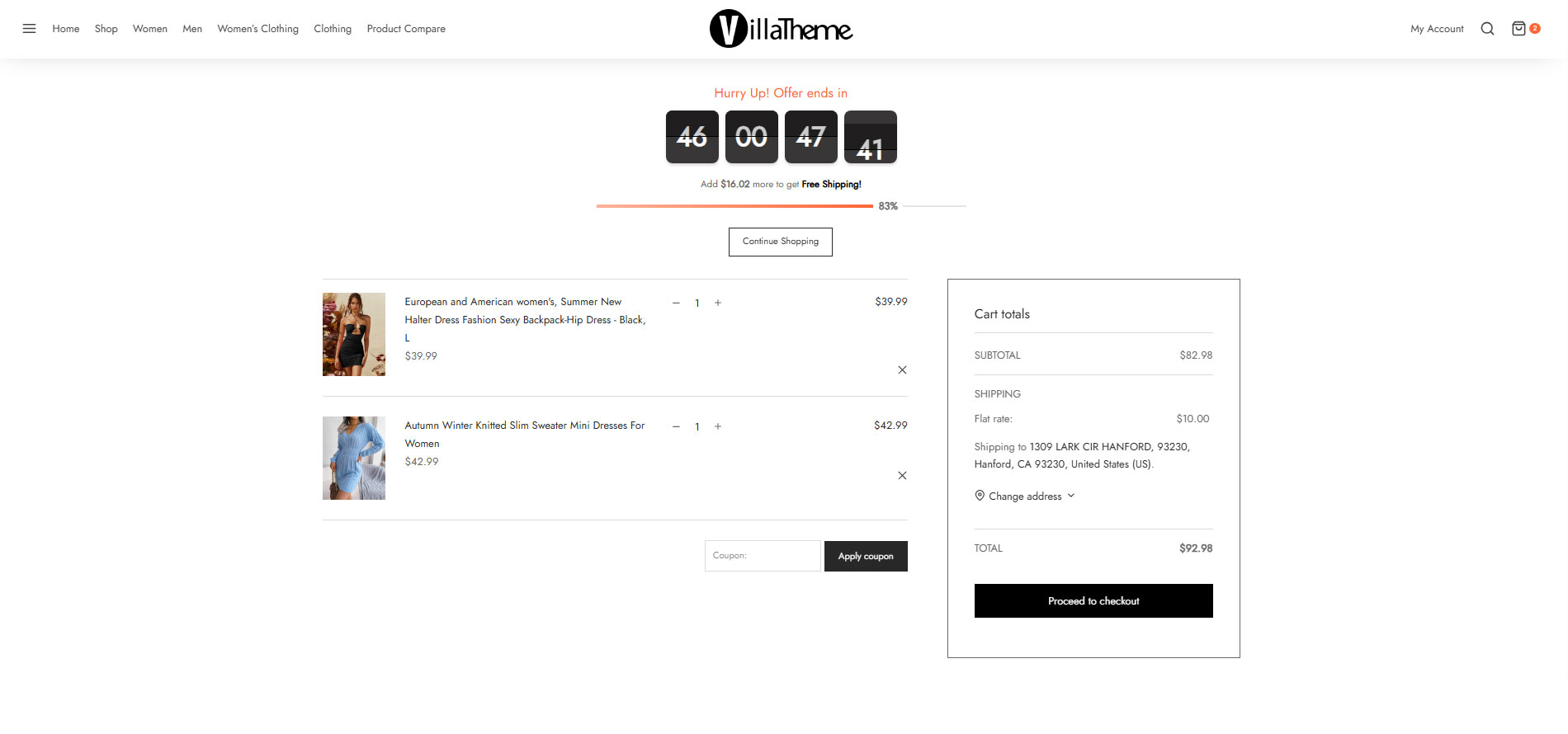
► Checkout countdown timer:
-
Set the checkout countdown timer for a minimum cart total to get a special offer.
-
The reset mode will be applied only to Administrators for testing purposes.
-
Reset checkout countdown for a cart after this time if the customer does not place the order during checkout countdown.
-
Give offers before the checkout countdown timer hits zero: Free shipping and/or discount amount (percentage/fixed amount).
-
Integrates options that allow you to change offers when the countdown timer hits specific values.
-
Assign pages where the checkout countdown timer shows up.
-
Design the checkout countdown timer on the checkout page and other assigned pages.
► 6 months of support: with each purchase, you will have 6 months of support from VillaTheme. Our developers will help if you have any problem with Sales Countdown Timer.
MAY BE YOU NEED
Abandoned Cart Recovery for WooCommerce
Advanced Product Information for WooCommerce
AFFI – Affiliate Marketing for WooCommerce
ALD – Dropshipping and Fulfillment for AliExpress and WooCommerce
Boost Sales for WooCommerce – Set up Up-Sells & Cross-Sells Popups & Auto Apply Coupon
Bopo – WooCommerce Product Bundle Builder
Bulky – Bulk Edit Products for WooCommerce
Cart All In One For WooCommerce
Catna – Woo Name Your Price and Offers
Checkout Upsell Funnel for WooCommerce
ChinaDS – Tmall-Taobao Dropshipping for WooCommerce
Clear Autoptimize Cache Automatically
COMPE – WooCommerce Compare Products
Coreem – Coupon Reminder for WooCommerce
CURCY – Multi Currency for WooCommerce – Smoothly on WooCommerce 9.x
Customer Coupons for WooCommerce
DEPART – Deposit and Part payment for Woo
Email Template Customizer for WooCommerce
EPOW – Custom Product Options for WooCommerce
EXMAGE – WordPress Image Links
Faview – Virtual Reviews for WooCommerce
FEWC – Extra Checkout Fields For WooCommerce
Free Shipping Bar for WooCommerce
GIFT4U – Gift Cards All in One for Woo
HANDMADE – Dropshipping for Etsy and WooCommerce
HAPPY – Helpdesk Support Ticket System
LookBook for WooCommerce – Shoppable with Product Tags
Lucky Wheel for WooCommerce – Spin a Sale
Notification for WooCommerce | Boost Your Sales – Recent Sales Popup – Live Feed Sales – Upsells
Orders Tracking for WooCommerce
Pofily – WooCommerce Product Filters
PRENA – Product Pre-Orders for WooCommerce
Product Builder for WooCommerce – Custom PC Builder
Product Size Chart For WooCommerce
Product Variations Swatches for WooCommerce
REDIS – WooCommerce Dynamic Pricing and Discounts
S2W – Import Shopify to WooCommerce
SUBRE – Product Subscription for WooCommerce – Recurring Payments
Suggestion Engine for WooCommerce
Thank You Page Customizer for WooCommerce – Increase Your Sales
TMDS – Dropshipping for TEMU and Woo
VARGAL – Additional Variation Gallery for WooCommerce
VIMA – Multi Customer Addresses for Woo
W2S – Migrate WooCommerce to Shopify
WebPOS – Point of Sale for WooCommerce
WPBulky – WordPress Bulk Edit Post Types
Documentation
Plugin Links
Capturi ecran
Instalare
- Unzip the download package
- Upload
sales-countdown-timerto the/wp-content/plugins/directory - Activate the plugin through the ‘Plugins’ menu in WordPress
Recenzii


Contributori și dezvoltatori
„Sales Countdown Timer” este un software open-source. La acest modul au contribuit următoarele persoane.
Contributori

„Sales Countdown Timer” a fost tradus în 2 locale. Mulțumim traducătorilor pentru contribuția lor.
Tradu „Sales Countdown Timer” în limba ta.
Te interesează dezvoltarea?
Răsfoiește codul, vezi depozitarul SVN, sau abonează-te la jurnalul de dezvoltare prin RSS.
Istoric modificări
2026.08.17 – version 1.1.12
– Updated: Compatible WooCommerce 11.0
2026.06.20 – version 1.1.11
– Updated: VillaTheme support
2026.03.06 – version 1.1.10
– Update: support class
2026.01.20 – version 1.1.9
– Updated: Compatible with WordPress 6.9
2025.11.10 – version 1.1.8
– Updated: Add preview css/inline css for Elementor edit
2025.07.26 – version 1.1.7
– Updated: Add setting descriptions
– Updated: Minify some source code
– Fixed: JS error when declaring a variable
2025.04.05 – version 1.1.6
– Updated: Add setting descriptions
2025.01.03 – version 1.1.5
– Fixed: Issue when saving shortcode date time
– Fixed: Issue when process progress bar quantity
– Fixed: Issue when reduce size of timer on shop page, mobile
2024.11.26 – version 1.1.4
– Updated: Add setting descriptions
2024.09.30 – version 1.1.3
– Fixed: Issue with Product Bundle Builder for WooCommerce
2024.06.13 – version 1.1.2
– Updated: Compatible with WordPress 6.5
2024.01.15 – version 1.1.1
– Fixed: Progress is not running with woocommerce_ajax_variation_threshold
2023.09.05 – version 1.1.0
– Fixed: Error when Woo product not exits
– Fixed: Error when Woo not active
– Updated: Compatible with High-Performance order storage (COT)
2023.02.08 – version 1.0.11
– Fixed: The page does not reload after the end of the countdown
– Update: Option to show/hide hour init with zero value
2022.08.30 – version 1.0.10
– Fixed: Missing input field of elementor block
– Fixed: Option countdown timer did not work on all templates
2022.07.13 – version 1.0.9
– Fixed: Missing sale price when updating product
2022.05.21 – version 1.0.8
– Update: support class
– Update: compatible with Elementor 3.1
2022.03.21 – version 1.0.7
– Update: support class
2021.11.17 – version 1.0.6
– Fixed: Progress bar is not showing on the single product page in some places and does not automatically update the quantity ordered
2020.07.31 – version 1.0.5.9
– Update: support class
2021.06.02 – version 1.0.5.8
– Update: support class
2021.01.26 – version 1.0.5.7
– Fixed: Can’t change Datetime format style
2020.08.20 – version 1.0.5.6
– Fixed: refresh page on iOS device
2020.08.14 – version 1.0.5.5
– Updated: Compatibility with WP 5.5
– Updated: Display countdown timer
2020.05.20 – version 1.0.5.4
– Updated: compatible with Elementor for Shortcode
2020.04.23 – version 1.0.5.3
– Update: support class
2020.03.31 – version 1.0.5.2
– Fixed: Countdown timer in archive page
2020.03.23 – version 1.0.5.1
– Update: support class
2020.02.01 – version 1.0.5
– Added: Premium version url
– Updated: Video preview
2019.11.23 – version 1.0.4.5
– Fixed: Not reflect sales price after countdown time is started
2019.11.16 – version 1.0.4.4
– Updated: Sanitize input data
2019.04.03 – version 1.0.4.2
– Updated: Make admin notices dismissible
2019.01.03 – version 1.0.4.1
– Fixed: Product quantity broken
2018.12.04 – version 1.0.4
– Fixed: Products price when start and end sales
– Removed: Option to show on related products
– Added: Option to set size of countdown timer on shop/category page and on mobile
– Added: Datetime unit position
– Added: Animation style
– Added: Circle countdown timer
– Added: Make countdown timer sticky when scroll on single product page
2018.11.21 – version 1.0.3.1
– Fixed: Current countdown timer style not working in admin settings
2018.11.21 – version 1.0.3
– Updated: Working with variable products
– Optimized: Speed load
2018.11.10 – version 1.0.2.1
– Updated: Class support
2018.10.17 – version 1.0.2
– Updated: Class support
2018.10.15 – version 1.0.1
– Fixed: Class support