Sari la conținut
WordPress.org

În Română

  • Teme
  • Module
  • Știri
  • Suport
  • Despre
  • Evenimente
  • Localizare
  • Dialog
  • Obține WordPress
Obține WordPress
WordPress.org

Plugin Directory

Metadata Viewer

  • Trimite un modul
  • Favoritele mele
  • Autentifică-te
  • Trimite un modul
  • Favoritele mele
  • Autentifică-te

Metadata Viewer

De PluginizeLab
Descarcă
  • Detalii
  • Recenzii
  • Instalare
  • Dezvoltare
Suport

Descriere

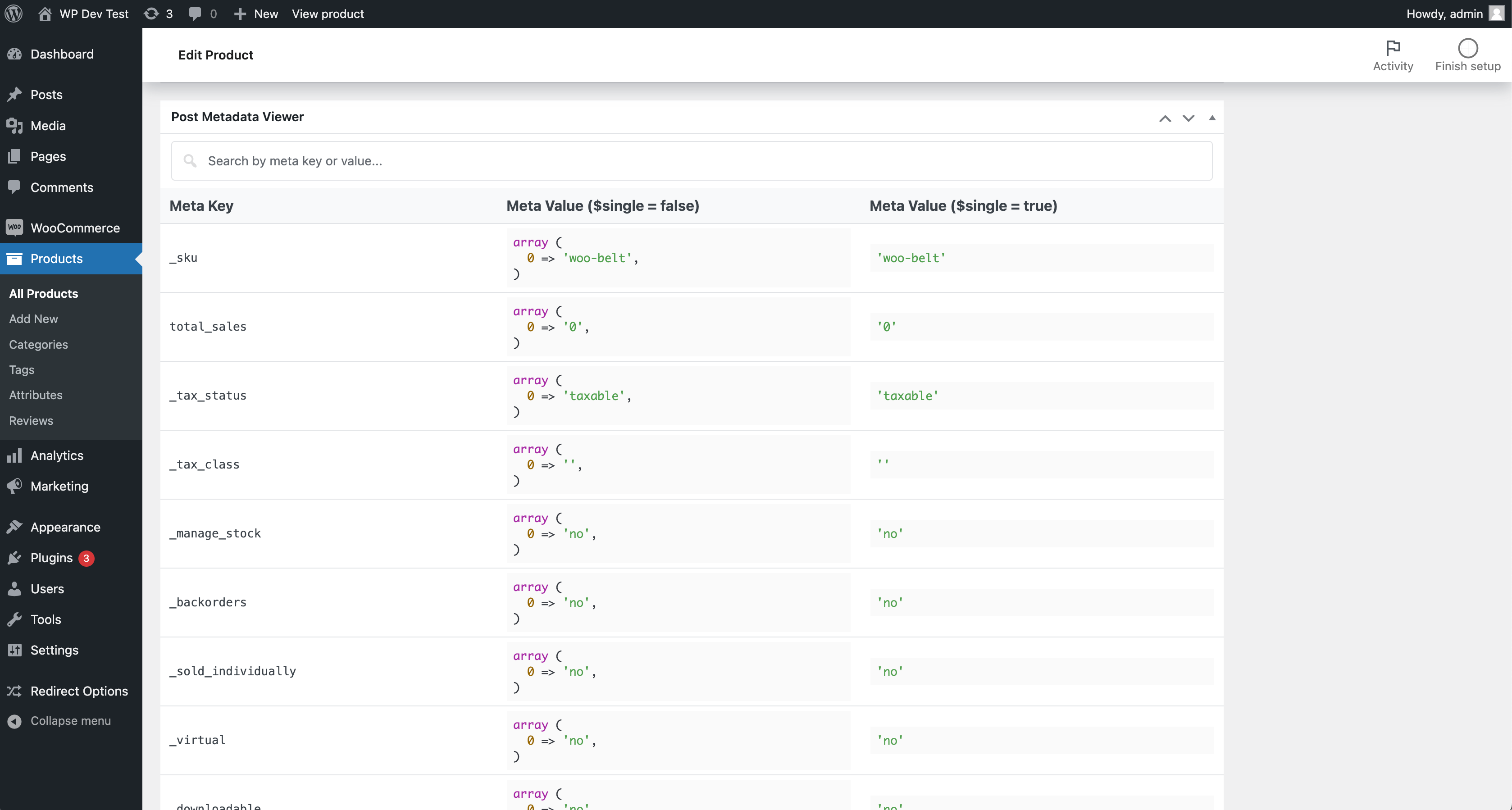
The Metadata Viewer plugin displays metadata keys and values for posts (posts, pages, custom post types), users, comments, taxonomy terms, WooCommerce products, and WooCommerce orders directly in admin edit screens — and on the Dokan vendor dashboard. It also includes an integrated realtime search feature.
Install one lightweight plugin to inspect metadata across common WordPress and WooCommerce object types from their native edit pages.

Features

  • 👉 Posts Metadata Viewer
  • 👉 Custom Post Types Metadata Viewer
  • 👉 Pages Metadata Viewer
  • 👉 Users Metadata Viewer
  • 👉 Comments Metadata Viewer
  • 👉 Taxonomy Terms Metadata Viewer
  • 👉 WooCommerce Products Metadata Viewer
  • 👉 WooCommerce Orders Metadata Viewer
  • 👉 Dokan vendor dashboard: order & product metadata viewers
  • 👉 HPOS-aware WooCommerce Orders metadata handling (supports sync on/off modes)
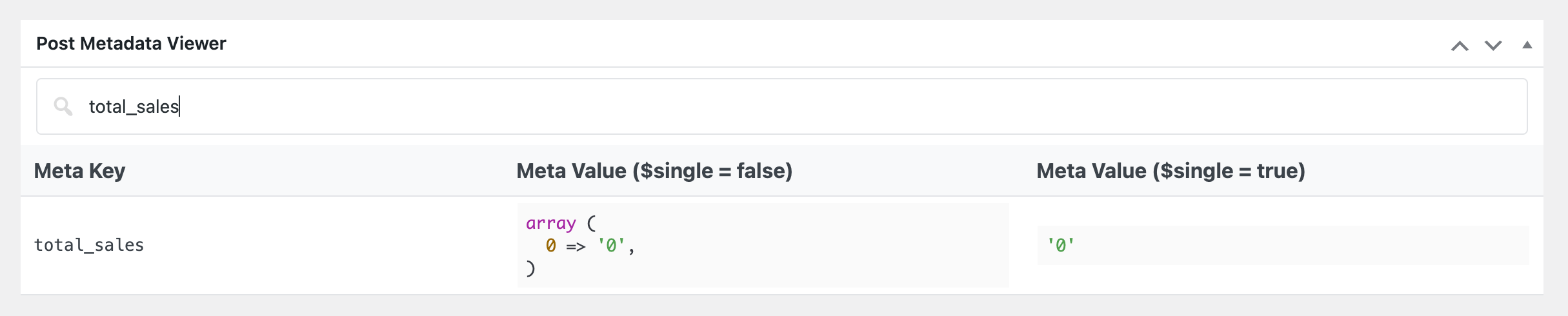
  • 👉 Unified metadata table UI and realtime search across supported screens

Support

If you find this plugin useful, consider supporting its development through a donation.

Capturi ecran

Instalare

FOR STANDARD INSTALLATION:

Installing this plugin is very easy just like any other WordPress plugin. Please follow these instructions: 1. In your WordPress admin panel, go to Plugins > New Plugin, search for „Metadata Viewer” and click on „Install Now” 2. Alternatively, download the plugin and upload the metadata-viewer.zip to your plugins directory, which usually is /wp-content/plugins/. 3. Activate the plugin from plugins page.

Recenzii

Useful and functional

Ivan Arnaudov 11 octombrie 2024 1 răspuns
The Metadata Viewer plugin has been immensely helpful to me while developing and troubleshooting some custom functionality for the WooCommerce store of a customer. I thank my lazy self for deciding to look for such a tool before trying to cobble up a worse looking and less functional alternative. However it is important to say that the Metadata Viewer is not useful to developers only; end-users can find value in easily viewing all meta-data associated with a post/page as well. Overall, it is a really helpful tool that should have been natively available in the platform. I will be adding this plugin to my toolkit for future projects. It easily earns ⭐⭐⭐⭐⭐ for being good looking and functional. Plugin developer pluginizelab has my sincere gratitude for making this tool freely available to the community!

Very useful.

haideralibd 29 aprilie 2024 1 răspuns
This plugin is very useful plugin for developers.
Citește toate cele 2 recenzii

Contributori și dezvoltatori

„Metadata Viewer” este un software open-source. La acest modul au contribuit următoarele persoane.

Contributori
  • PluginizeLab
  • Md Aminur Islam

Tradu „Metadata Viewer” în limba ta.

Te interesează dezvoltarea?

Răsfoiește codul, vezi depozitarul SVN, sau abonează-te la jurnalul de dezvoltare prin RSS.

Istoric modificări

2.2.4

  • Applied table-layout: fixed to the metadata table via a dedicated tbl-fixed class to prevent column-width clashes with host themes/plugins.

2.2.3

  • Refreshed the readme feature list and documentation.

2.2.2

  • Added order and product metadata viewers on the Dokan vendor dashboard („Order Details” and „Edit Product” pages).
  • Introduced a template loader so viewer markup lives in templates/ and is overridable via the metadata_viewer_template filter.
  • Made the metadata table search icon filterable.

2.2.1

  • Added taxonomy term metadata viewer on taxonomy edit screens.
  • Added comment metadata viewer on comment.php?action=editcomment.
  • Improved WooCommerce order metadata loading with HPOS-aware behavior for sync enabled/disabled modes.
  • Improved UI consistency by matching taxonomy and comment metadata sections with existing metadata box/table design.
  • Added shared helper methods for metadata rendering and screen detection.
  • Updated plugin documentation and feature list.

Meta

  • Versiunea 2.2.4
  • Ultima actualizare Acum 4 săptămâni
  • Instalări active: 400+
  • Versiune WordPress 6.0.0 sau mai recentă
  • Testat până la 6.9.4
  • Versiune PHP 7.4 sau mai recentă
  • Limbă
    English (US)
  • Etichete
    custom post type metametadatapost metauser meta
  • Vizualizare avansată

Evaluări

5 din 5 stele.
  • 2 5 – recenzii (stele) 5 stele 2
  • 0 4 – recenzii (stele) 4 stele 0
  • 0 3 – recenzii (stele) 3 stele 0
  • 0 2 – recenzii (stele) 2 stele 0
  • 0 1 – recenzii (stele) o stea 0

Your review

Vezi toate recenziile

Contributori

  • PluginizeLab
  • Md Aminur Islam

Suport

Ai ceva de zis? Ai nevoie de ajutor?

Vezi forumul pentru suport

Donează

Vrei să sprijini dezvoltarea acestui modul?

Donează pentru acest modul

  • Despre
  • Știri
  • Găzduire
  • Confidențialitate
  • Prezentare
  • Teme
  • Module
  • Modele
  • Învață
  • Suport
  • Dezvoltatori
  • WordPress.tv ↗
  • Implică-te
  • Evenimente
  • Donează ↗
  • Five for the Future
  • WordPress.com ↗
  • Matt ↗
  • bbPress ↗
  • BuddyPress ↗
WordPress.org
WordPress.org

În Română

  • Mergi la contul nostru X (fost Twitter)
  • Vizitează contul nostru Bluesky
  • Vizitează contul nostru Mastodon
  • Vizitează contul nostru Threads
  • Vizitează pagina noastră Facebook
  • Vizitează-ne pe Instagram
  • Vizitează-ne pe LinkedIn
  • Vizitează contul nostru TikTok
  • Vizitează canalul nostru YouTube
  • Vizitează contul nostru Tumblr
Codul este poezie.
The WordPress® trademark is the intellectual property of the WordPress Foundation.