
Descriere
Gralus is an SEO service at gralus.com. It checks your Google rankings, Search Console data and how AI assistants answer questions about your business, then suggests work: new articles, landing pages, better titles and descriptions, image alt text, internal links and other fixes.
This plugin is the link between Gralus and your WordPress site. You review each suggestion in Gralus, and only the ones you approve reach your site.
What the plugin does after you approve something in Gralus
- Creates articles and landing pages as drafts, and publishes them when you approve.
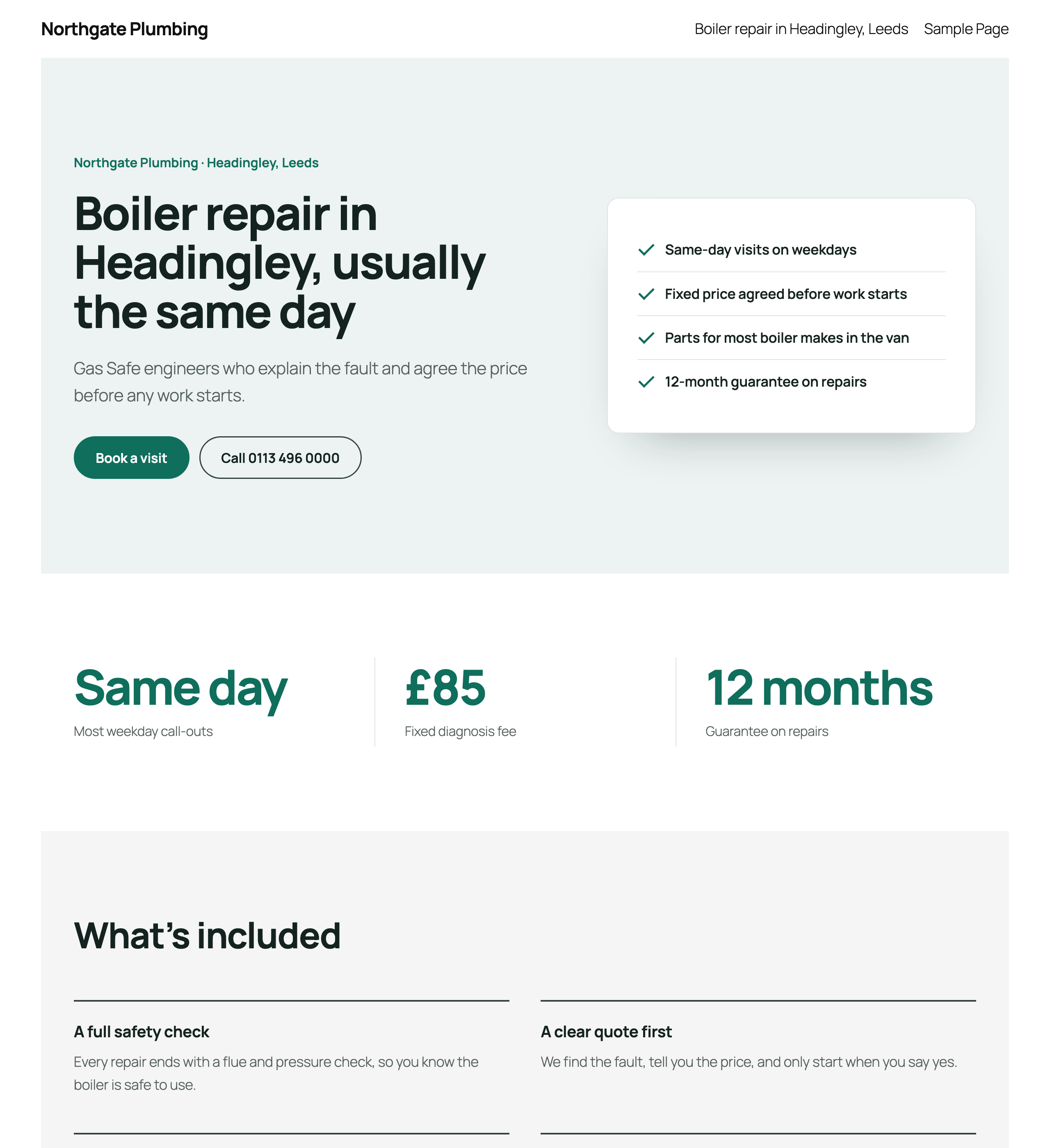
- Landing pages use your theme’s colours, fonts and corners, with a full-width layout between your theme’s header and footer.
- Sets SEO titles and meta descriptions. If Yoast SEO or Rank Math is active, it writes into their fields; with no SEO plugin it adds the tags itself. While All in One SEO, SEOPress, The SEO Framework or Slim SEO is active it never adds a second title, description tag or Article markup: titles and descriptions Gralus set earlier are copied into SEOPress, The SEO Framework or Slim SEO where their own field is empty, and otherwise shown through that plugin only on pages where it has none of its own. The author’s Article markup is added only on posts where that plugin prints none.
- Adds alt text to images in your Media Library.
- Adds links between your own posts and pages where a phrase matches another page. It never touches headings, buttons, existing links or page builder settings (such as WPBakery and Divi shortcodes), leaves out pages built with Elementor, Bricks, Oxygen or Beaver Builder, and every change can be undone from Gralus.
- With Yoast SEO: sets the focus keyphrase, SEO title and meta description, and edits paragraphs and headings so each page passes Yoast’s checks. It never touches images, buttons or embeds, and sets Yoast’s scores so the dots in your page list update.
- With Rank Math: sets the focus keyword, SEO title and meta description, and edits paragraphs and headings so each page passes more of Rank Math’s tests. It never touches images, buttons or embeds, and sets Rank Math’s SEO score so your page list shows it.
- Fixes links to pages that are gone: points them at the right page, or removes the link and keeps the words. It can also redirect a missing address on your site to its new page (only when WordPress finds nothing at that address). Every change can be undone from Gralus.
- Adds LocalBusiness structured data, an llms.txt file, and robots.txt rules that let AI crawlers read your site.
- Publishes articles under the existing user you choose in Gralus, and fills in that user’s bio, website, job title, LinkedIn and photo as you approve, so each article has a real, described author. It never creates or deletes users.
- Speeds up pages, with each change switched on separately: WebP copies of Media Library images shown in place of JPEG and PNG files (originals are never changed), the first large image loaded first, browser cache times for images, fonts, CSS and JavaScript in .htaccess (Apache and LiteSpeed), text shown while web fonts load, a width and height for images that have none, trackers and chat widgets loaded on the visitor’s first scroll or tap, form and slider plugin files left out of pages that don’t use them, unused block editor CSS left out, and the emoji and embed scripts turned off. Gralus tests each script and style change in a browser before offering it. Changes another plugin already makes are left to it. After the browser cache rules are written, the plugin checks that the home page and an image still load, and takes the rules out again at once if they don’t. Undo switches the changes off; pages stop using the WebP copies at once and the files are deleted 30 days later, so pages a cache still holds keep their pictures.
What it never does
- It never deletes posts, pages or images.
- It never publishes anything you have not approved.
- It does not add anything to your site’s front end until you approve a change.
You need a Gralus account. Gralus is a paid service with a 14-day free trial. The plugin does nothing until it is connected to an account.
External services
This plugin connects your site to Gralus (https://gralus.com), the service it was made for. Without it, the plugin has no function.
When you connect the site (with a connection code, or by approving Gralus on WordPress’s „Authorize application” screen), the plugin sends Gralus the one-time code, your site address, your home page address and the plugin version.
Once a day, and when you click „Send site details now”, the plugin sends Gralus: your site, home and admin addresses; the WordPress, PHP and plugin versions; the theme name; which SEO plugin is active (Yoast SEO, Rank Math, All in One SEO, SEOPress, The SEO Framework or Slim SEO); how many posts and pages are published; your category names; and the colour and font names set in your theme.
When Gralus asks for it, Gralus sends signed requests to this plugin’s REST routes. Each request is checked with a secret key that only your site and Gralus know. Through these routes Gralus:
- creates, updates and publishes the drafts you approve, and sets their SEO title and description;
- reads the address, title and SEO fields of a page to suggest changes to it;
- lists Media Library images that have no alt text, and saves the alt text you approve;
- finds and adds or removes the internal links you approve;
- reads each published page’s content and Yoast SEO fields (focus keyphrase, SEO title, meta description, scores) to check it with Yoast’s analysis, and writes the Yoast fixes you approve;
- reads each published page’s content and Rank Math fields (focus keywords, SEO title, meta description, score) and Rank Math’s power words and link settings to check it the way Rank Math does, and writes the Rank Math fixes you approve;
- reads which page speed changes are on, the web server type, whether .htaccess can be written, which speed and image plugins are active and how many images have WebP copies; switches the changes you approve on or off; makes the WebP copies in batches; and, when WebP is switched off, schedules their deletion 30 days later;
- finds the broken links its site check reported in your posts and pages, and changes them or adds redirects as you approve;
- lists the users who can write posts (name, role, bio, website, job title, LinkedIn, photo and number of posts; never email addresses or user names), and updates the profile of the user you choose as the author of new articles;
- runs a security check you start in Gralus. It returns the WordPress version, whether core files match WordPress.org’s checksums, the user name, email address and registration date of each administrator (so you can spot accounts you did not create), must-use plugins, PHP files in the uploads folder, and redirects in .htaccess or the Redirection plugin that send visitors to other sites.
Nothing is sent to anyone other than Gralus. Gralus’s terms of service: https://gralus.com/terms. Gralus’s privacy policy: https://gralus.com/privacy.
The security check also uses WordPress’s own core checksum service on WordPress.org (the same one WordPress uses for updates).
Capturi ecran
Instalare
- In WordPress go to Plugins Add New, search for „Gralus”, then click Install Now and Activate.
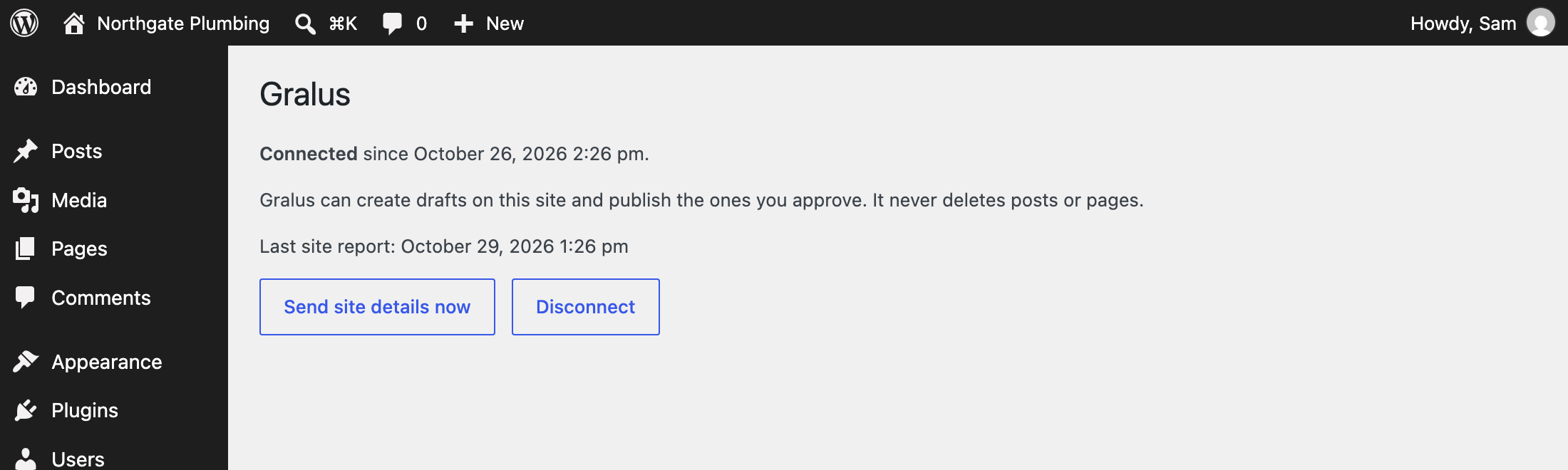
- Sign in to Gralus, open Settings WordPress and click „Connect WordPress”. Log in to your own WordPress when asked and click Approve. Gralus uses the app password WordPress creates for this once, to connect, and deletes it straight after.
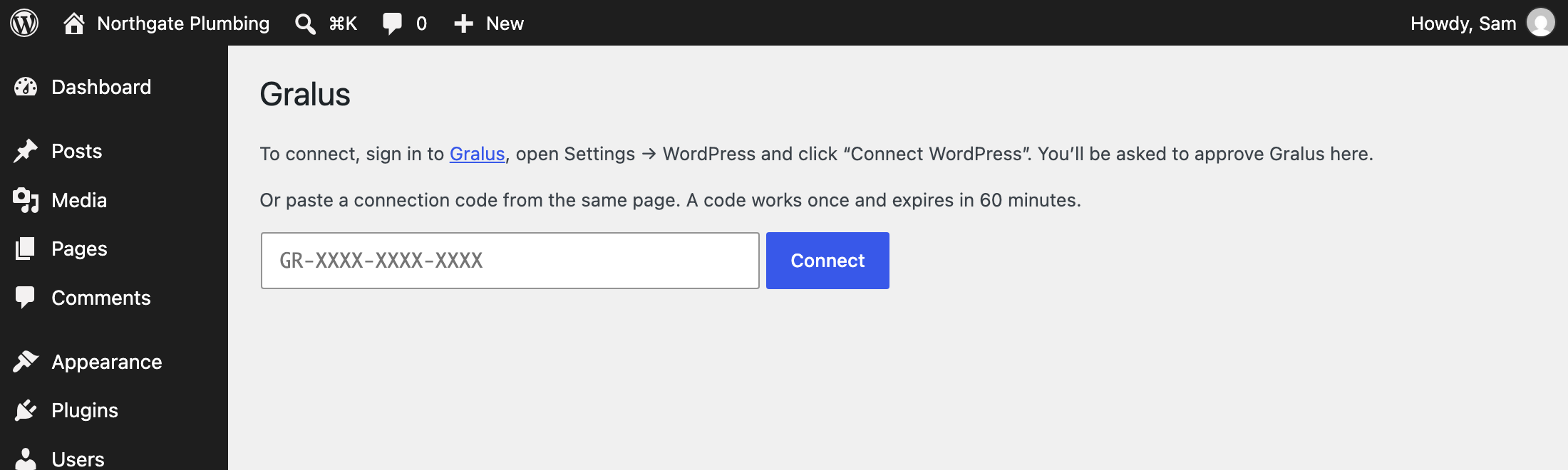
- If your site has app passwords turned off, use the connection code instead: create a code in Gralus, then paste it on Settings Gralus in WordPress and click Connect.
Întrebări frecvente
-
Do I need a Gralus account?
-
Yes. The plugin only works with Gralus. You can try Gralus free for 14 days.
-
Will anything be published without my approval?
-
No. Gralus creates drafts and changes only what you approve in Gralus. Drafts stay drafts until you approve them for publishing.
-
Does it work with Yoast SEO or Rank Math?
-
Yes. When one of them is active, SEO titles and descriptions are written into its fields, so you keep seeing them where you are used to. Gralus can also check every page with Yoast’s or Rank Math’s own analysis and fix what it reports, after you approve each fix.
-
What about All in One SEO, SEOPress, The SEO Framework or Slim SEO?
-
The plugin recognises them and tells Gralus which one is active. While one of them is active, the plugin never adds its own description tag or title, so pages never get two of each. Titles and descriptions Gralus set before are kept: they are copied into that plugin’s own fields where those are empty, or shown through it on pages where it has none of its own. The author’s Article markup is added only on posts where that plugin prints none. Gralus does not offer title and description fixes on these sites; set them in that plugin instead.
-
What happens if I disconnect or delete the plugin?
-
Disconnecting stops Gralus from reaching your site. The fixes Gralus switched on (page speed changes, redirects, the https:// redirect, llms.txt, robots.txt rules, structured data) keep running: Settings Gralus lists them, with a „Turn off” button for each and „Turn everything off”. You can also undo them in Gralus before you disconnect. Deleting the plugin removes its settings, empties the page caches and stops the fixes it adds. Posts, pages, links and alt text you approved stay on your site.
-
Does Gralus get my WordPress password?
-
No. With „Connect WordPress” you log in on your own site. WordPress gives Gralus a separate app password, which Gralus uses once to connect and then deletes. After that, Gralus and your site talk using a secret key that only they know.
Recenzii
Nu există nicio verificare pentru acest modul.
Contributori și dezvoltatori
„Gralus” este un software open-source. La acest modul au contribuit următoarele persoane.
Contributori
Te interesează dezvoltarea?
Răsfoiește codul, vezi depozitarul SVN, sau abonează-te la jurnalul de dezvoltare prin RSS.
Istoric modificări
0.30.0
- The daily report to Gralus (and the answer when Gralus checks the connection) now says how the plugin is kept up to date: whether automatic updates are on for Gralus, whether something on the site switches automatic updates off (AUTOMATIC_UPDATER_DISABLED, DISALLOW_FILE_MODS or a filter from the host or another plugin), whether plugins may be updated from inside WordPress at all, which newer version WordPress has seen and when it last checked, whether DISABLE_WP_CRON is set, how late WordPress’s scheduled tasks are, and when they last ran. Gralus shows this on Settings WordPress with what to change. Nothing on the site is changed by it.
- Update now from Gralus: Gralus can ask the plugin to update itself to the newest version on gralus.com, the same way WordPress’s own Update now does it (the plugin stays active and only Gralus is updated). The plugin first checks that a newer version exists and that it suits the site’s PHP and WordPress versions, runs one update at a time (and not while WordPress is updating something itself), and tells Gralus the result. Each request from Gralus can be used only once. It is not done on WordPress before 6.3 (which can’t put the old version back if an update fails halfway) or where DISALLOW_FILE_MODS is set. When Gralus asks on its own (a site more than two days behind), the plugin refuses if automatic updates of Gralus are switched off on the site. The copy from WordPress.org never does this: it updates through WordPress.org.
- Every update of Gralus from gralus.com (automatic, from the Plugins screen, wp-cli or Gralus) is downloaded from gralus.com only, without following redirects, and installed only when the zip matches the SHA-256 checksum gralus.com publishes for it in gralus.json.
- When Gralus checks the connection, the plugin looks for a newer version (at most every 15 minutes, reading gralus.com again when its last answer is more than an hour old) and puts it on WordPress’s list of updates straight away, instead of waiting for WordPress’s own check every 12 hours.
- After an automatic update, the plugin tells Gralus its new version at once. Before, it only did this after an update from the Plugins screen, so Gralus showed the old version for up to a day.
- Automatic updates for Gralus are also switched on (once, as before) when the daily report runs, for sites where no one has opened wp-admin since the plugin was installed. If you switched them off, they stay off.
- The daily report says where the copy came from (gralus.com or WordPress.org).
0.29.0
- Internal links: a link is never put in a page’s header, footer, menu, form or sidebar box (the header, footer, nav, menu, form and aside elements), in a menu, breadcrumb, button, toolbar or social links block (any element whose class or id names one, such as wp-block-navigation, menu-item, wp-block-button or social-links, or whose role is navigation, menu, button or toolbar), inside an SVG drawing, in a list item that has an icon (icon lists of features or services), or on the words right next to an icon. Links in ordinary paragraphs and lists are found as before. A list item or paragraph left without its closing tag no longer stops links from being found further down the page.
- The text shown around a suggested link in Gralus no longer starts or ends with a cut-off piece of markup (such as an icon’s drawing code).
- Links Gralus added before, and Undo, work exactly as before.
- The copy from WordPress.org tells Gralus where it came from in its daily report, so Gralus tells you to update it on the Plugins screen and turn on automatic updates, instead of saying it updates itself.
0.28.0
- Internal links: a link is never put inside a shortcode’s settings (such as WPBakery’s [vc_custom_heading text=”…”] or Divi’s [et_pb_blurb title=”…”]), or inside code, button, heading and raw HTML shortcodes (Avada/Fusion [fusion_button] and [fusion_title], Cornerstone, Shortcodes Ultimate, Enfold, Flatsome and any shortcode whose name ends in _button, _btn or _title or has „heading” in it). Pages built with Elementor, Bricks, Oxygen or Beaver Builder are left out, because those builders don’t show the post’s own content, so a link there would never show.
- Browser cache rules: the plugin loads the home page and one image before and after writing the rules to .htaccess, each time with a new ?gralus-check value and no-cache headers, so a page cache or CDN can’t answer for the site. If they loaded before and fail after, it takes the rules out again at once and reports the part as skipped with the reason. When the rules in .htaccess are already the right ones (WordPress’s own comment lines in the block are ignored), nothing is written or checked again. /speed/apply now lists skipped parts as [{ part, reason }].
- WebP off: pages stop using the WebP copies at once and page caches are emptied, but the files stay for 30 days, so pages a cache still holds keep their pictures. A scheduled job deletes them after that; switching WebP on again calls the deletion off. Settings Gralus shows the date.
- WebP copies: an image is marked before it is converted, so an image that stops PHP is not tried first in every batch; batches are smaller (5 images, about 15 seconds); a copy is written under a temporary name and renamed when complete. Deleting a picture from the Media Library deletes its WebP copies, a copy older than its picture (the picture was replaced) is never shown, and pictures uploaded while WebP is on get their copies a minute after the last upload: one scheduled job converts all waiting uploads and empties the page caches once for the batch, so a bulk import or a thumbnail rebuild doesn’t empty them once per picture. Uploads added while the job runs stay on the list (it is read again before each change), and uploads beyond the 2,000 the list holds are marked and converted after it.
- Page caches: besides LiteSpeed Cache, WP Rocket, W3 Total Cache, WP Super Cache and WP Fastest Cache, the plugin now empties SiteGround Optimizer, WP-Optimize, Breeze, Cache Enabler, Hummingbird, Nginx Helper, the Cloudflare plugin and WP Engine’s cache. Deleting the plugin empties the caches first, and deactivating it empties them when page speed changes were on.
- Yoast SEO and Rank Math fixes: the previous values are stored before anything changes, and a second try of the same fix (when WordPress saved it but Gralus never got the answer) keeps the first record, so Undo always brings back the original. When the page already holds what the fix writes, the answer says so instead of failing. The same applies to SEO titles and descriptions (/meta) and Media Library alt text.
- Undo of a Yoast SEO or Rank Math fix puts back only the fields that still hold what the fix wrote. A field edited since (in WordPress, or by a newer fix) is kept, and the answer lists it, so edits made after the fix are never lost. An Undo tried again because its first answer was lost gets the same answer ({ already: true }) for 30 days, while the page still holds what was put back.
- Titles and descriptions (/meta): Undo sends undoFixId and the fix’s record is removed, and a record is only reused while the page still holds what that fix wrote or the values from before it, so a fix published again after Undo stores the page’s values at that time.
- Other SEO plugins: All in One SEO, SEOPress, The SEO Framework and Slim SEO are recognised and their name is sent to Gralus. While one of them is active, the plugin never adds a second description tag and never changes the page title itself. Titles and descriptions Gralus set before are copied once into SEOPress (_seopress_titles_title, _seopress_titles_desc), The SEO Framework (_genesis_title with „no site name”, _genesis_description) or Slim SEO (slim_seo) where that field is empty, and later changes and Undo follow there while the field is empty or still holds Gralus’s value, so a title or description the owner wrote is never replaced; with All in One SEO, and on pages that weren’t copied yet, the plugin’s title and description filters show Gralus’s on pages where it has none of its own, and a page whose head has no description tag gets Gralus’s. The author’s Article markup is added at the end of the head only on posts where that plugin printed no Article or BlogPosting markup (with Yoast SEO and Rank Math it is still left to them).
- Settings Gralus lists what Gralus has switched on that runs on the site (page speed parts, redirects, the https:// redirect, llms.txt, robots.txt rules, LocalBusiness and author markup, the Bing verification tag), with a „Turn off” button for each and „Turn everything off”. Turning the author markup off stops only the markup: the chosen author stays the author of new articles. It shows whether or not the site is connected. Disconnecting no longer says nothing changed: it says which changes keep running.
0.27.0
- IndexNow: the plugin shows the site’s IndexNow key (set by Gralus) at /gralus-indexnow.txt, so Bing, Yandex and the other IndexNow search engines accept Gralus’s notices about new and changed pages. It also tells Gralus when another plugin (Rank Math Instant Indexing, Yoast, All in One SEO, SEOPress or Microsoft’s IndexNow plugin) already sends IndexNow for posts, so pages aren’t sent twice. Deleting the plugin removes the key.
0.26.0
- Page library: Gralus can now read the list of every published post, page and product (any public type) with its title, SEO title and description and plain text, to show all the site’s pages, find pages that repeat each other, and compare new articles with what the site already has. Read only.
- Merging duplicate pages: after approval in Gralus, a page that repeats another one can go back to draft (nothing is deleted) with a redirect to the page kept. Undo publishes it again, and only pages Gralus took down this way can be put back by it.
0.25.0
- Alt text approved in Gralus now also reaches images the page’s own content doesn’t hold, such as a theme’s logo, header and footer images, widgets and page builder images. The plugin adds it to those images as each page is sent, only where the image has no alt text, so alt text someone wrote is never replaced. Undo removes it.
0.24.0
- SEO titles and descriptions approved in Gralus now work on category, tag and other taxonomy pages (such as /category/news/), written into Yoast SEO or Rank Math when one is active, or added to the page by the plugin when neither is. Undo puts the previous title and description back.
0.23.0
- Bing Webmaster Tools: when you connect Bing in Gralus and the site isn’t verified there yet, Gralus adds it to your Bing account and the plugin puts Bing’s verification tag (msvalidate.01) in every page’s head, so Bing can verify the site and take its sitemap. The tag stays while the plugin is active, because Bing checks it again from time to time; deleting the plugin removes it.
0.22.0
- Internal links: if WordPress fails to save one post, only that post’s links are reported as not added. Before, links already saved on the other posts were reported as not added too.
- Internal links: a link this fix already added on an earlier try (for example when the site took longer to answer than Gralus waited) now counts as added instead of being skipped, so the fix can finish and Undo can remove it.
0.21.0
- HTTPS redirect: after approval in Gralus, the plugin sends plain http:// page requests to the same address on https:// with a 301 redirect. It only does this when WordPress’s own address is https://, and it never redirects a request that already arrived over https:// at a proxy or CDN in front of the site (Cloudflare, load balancers), so it can’t cause a redirect loop. Undo switches it off, and define( ‘GRALUS_NO_HTTPS_REDIRECT’, true ); in wp-config.php switches it off without Gralus.
0.20.0
- Media Library alt text that Gralus wrote earlier can be rewritten after approval in Gralus (for example to name the business on photos of its own work). An image’s alt text is replaced only while it is still exactly the text Gralus wrote; alt text someone has edited is left alone. Undo puts the earlier text back.
0.19.0
- After every change made through Gralus (fixes, titles and descriptions, alt text, links, llms.txt, robots.txt, business details, Yoast SEO and Rank Math edits, the article author), the plugin empties the site’s page caches (LiteSpeed Cache, WP Rocket, W3 Total Cache, WP Super Cache, WP Fastest Cache), so visitors and search engines see the change straight away instead of an older cached copy.
- llms.txt is never stored by page caches, so an edit shows at once.
0.18.0
- Article author: Gralus can list the site’s users who can write posts (name, role, bio, photo; never emails or logins), and new articles are published under the user chosen in Gralus instead of the first administrator.
- The chosen author’s profile can be filled in from Gralus: bio, website, job title, LinkedIn and a photo from the Media Library, shown wherever WordPress shows their avatar. Users are never created or deleted.
- On posts by that author, when neither Yoast SEO nor Rank Math is active, Article markup names the author as a Person (job title, bio, photo, website, LinkedIn).
0.17.0
- Page speed, scripts and styles: after approval in Gralus, the plugin can load trackers and chat widgets (Google Analytics and Tag Manager, Meta Pixel, Hotjar, Clarity, Tawk, Crisp, Intercom, LiveChat, Tidio, HubSpot, LinkedIn, TikTok, Bing) on the visitor’s first scroll, tap or key press or after 5 seconds; leave the files of form, slider and Elementor add-on plugins out of pages that don’t use them; leave the block editor’s CSS out of pages with no block-editor content; and turn off the emoji and embed scripts. All are made to the page’s HTML on its way out; no theme or plugin file is changed. Parts another plugin already does (WP Rocket, Perfmatters, LiteSpeed Cache, Flying Scripts, FlyingPress, Asset CleanUp) are left to it.
- Preview links (/speed/preview): a page with chosen parts on for that request only, never cached and marked noindex, so Gralus can test each change in a browser before offering it.
0.16.0
- Page speed: after approval in Gralus, the plugin can make WebP copies of Media Library images (at most 1920 px wide, only when smaller than the original) and serve them in place of JPEG and PNG files; stop lazy-loading the first large picture on a page and fetch it first; set long browser cache times for images, fonts, CSS and JavaScript in .htaccess (Apache and LiteSpeed); show text while web fonts load; and add width and height to images that have none. Each part can be switched on or off on its own, and parts another plugin already does are left to it. Originals are never changed. Undo switches the parts off, removes the cache rules and deletes the WebP copies; deactivating the plugin removes the cache rules, and deleting it removes everything.
0.15.0
- Rank Math: lists each published page with its Rank Math fields (focus keywords, SEO title, meta description) and the settings Rank Math’s analyzer uses, so Gralus can check it the way Rank Math does. After approval it writes the fixes: a focus keyword, SEO title and description, and edited paragraphs and headings, and sets Rank Math’s SEO score so the page list shows it. Pages edited since Gralus read them are not overwritten. Undo puts back the previous keywords, title, description, text and score.
0.14.0
- Yoast SEO: lists each published page with its Yoast fields (focus keyphrase, SEO title, meta description) so Gralus can check it with Yoast’s own analysis, and after approval writes the fixes: a focus keyphrase, SEO title and description, and edited paragraphs and headings. It also sets Yoast’s SEO and readability scores, so the dots in the page list update. Pages edited since Gralus read them are not overwritten. Undo puts back the previous keyphrase, title, description, text and scores.
0.13.0
- Broken links: after approval, links to pages that are gone are pointed at the right page, or removed with their words kept. A missing address on this site can also be sent to its new page with a 301 redirect, so links from menus and other websites work too. Redirects only apply when WordPress finds nothing at the address. Undo puts back exactly what was there.
0.12.3
- No PHP notice on PHP 8.1+ when Gralus reads site details (requests without a body).
- llms.txt text is stripped of HTML tags when saved and sent with a nosniff header.
- Deleting the plugin also removes the SEO titles, descriptions and FAQ data it stored itself, and its markers on posts and images.
- The security scan reads files without hiding errors.
0.12.2
- FAQ and LocalBusiness structured data are printed with WordPress’s own script-tag function, and text inside them can no longer close the tag early.
- Landing pages load their stylesheet as a normal file, so caching plugins can combine and cache it.
- The „Disconnect” confirmation on Settings Gralus uses an enqueued script.
0.12.1
- Landing pages start right below the header in block themes such as Twenty Twenty-Five (the theme’s own top spacing was pushing them down).
- Settings Gralus explains how to connect with one click from Gralus.
- The Media Library alt-text list builds its database query with prepare().
0.12.0
- One-click connect: Gralus can connect the plugin after you approve it on WordPress’s own „Authorize application” screen, with no code to copy. Only an administrator can do this.
0.11.1
- Internal links also find phrases written with hyphens or non-breaking spaces („white-label” for „white label”).
0.11.0
- Internal links: finds where a phrase in your posts and pages should link to another page of yours, and after approval adds the link (text only; never in headings, buttons or existing links; at most one link per page to each target). Undo removes exactly the links Gralus added.
- Infographics Gralus makes for articles are added to the Media Library with their alt text.
0.10.1
- Landing pages keep their columns in classic themes (WordPress wraps each block group in an extra box there), and the first section clears a fixed theme header the way the theme’s own pages do.
0.10.0
- Landing pages use the site’s own colours, fonts and corners, and fill the full width between the theme’s header and footer (classic themes get a full-width template without the theme’s page title; block themes hide the title).
- Lists Media Library photos with alt text so Gralus can use the site’s own pictures on landing pages.
0.9.0
- Media Library alt text: lists images that have no alt text so Gralus can describe them, and saves the descriptions you approve on the images themselves, so every page that shows an image gets it. Alt text someone already wrote is never replaced; Undo takes off what was added.
- Images inside posts that were inserted without alt text show the new description too.
0.8.0
- Deep security scan: theme, plugin and must-use plugin files for backdoors and disguised code, the database for injected scripts and hidden spam, a changed site address, and redirects to other websites in .htaccess and the Redirection plugin. Read-only.
0.7.0
- Security report for Gralus: administrators, WordPress core files compared with the official copies, must-use plugins and PHP files in uploads. Read-only; nothing is changed.
0.6.0
- Adds alt text you approve to images, in the Media Library and in the page itself. Undo puts back what was there.
- Prints LocalBusiness markup (name, address, phone, map position, opening hours) built from your Google Business Profile, unless Yoast Local SEO or Rank Math already prints it.
- Serves an llms.txt you approve at /llms.txt.
- Lets the AI crawlers you choose read the site, through the robots.txt WordPress writes. A robots.txt file on the server can’t be changed by the plugin; Gralus tells you when that is the case.
0.5.1
- Tells Gralus which pages WordPress manages, so fixes are only written for pages it can change.
0.5.0
- Updates itself from gralus.com: new versions appear on the Plugins screen and install automatically (you can turn auto-updates off there).
- Tells Gralus its new version right after an update.
0.4.2
- SEO fixes work on custom post types (case studies, services, portfolios) and on their archive pages, with Yoast or Rank Math.
0.4.1
- Approved articles, pages and SEO fixes publish from Gralus; daily site summary for planning.