
Descriere
Albion Link Assistant is a free, self-hosted internal linking tool. It uses your own OpenAI API key to semantically index your content and suggest the most relevant internal links while you write.
Documentation and setup guide: albionsite.com/plugins/albion-link-assistant
Features
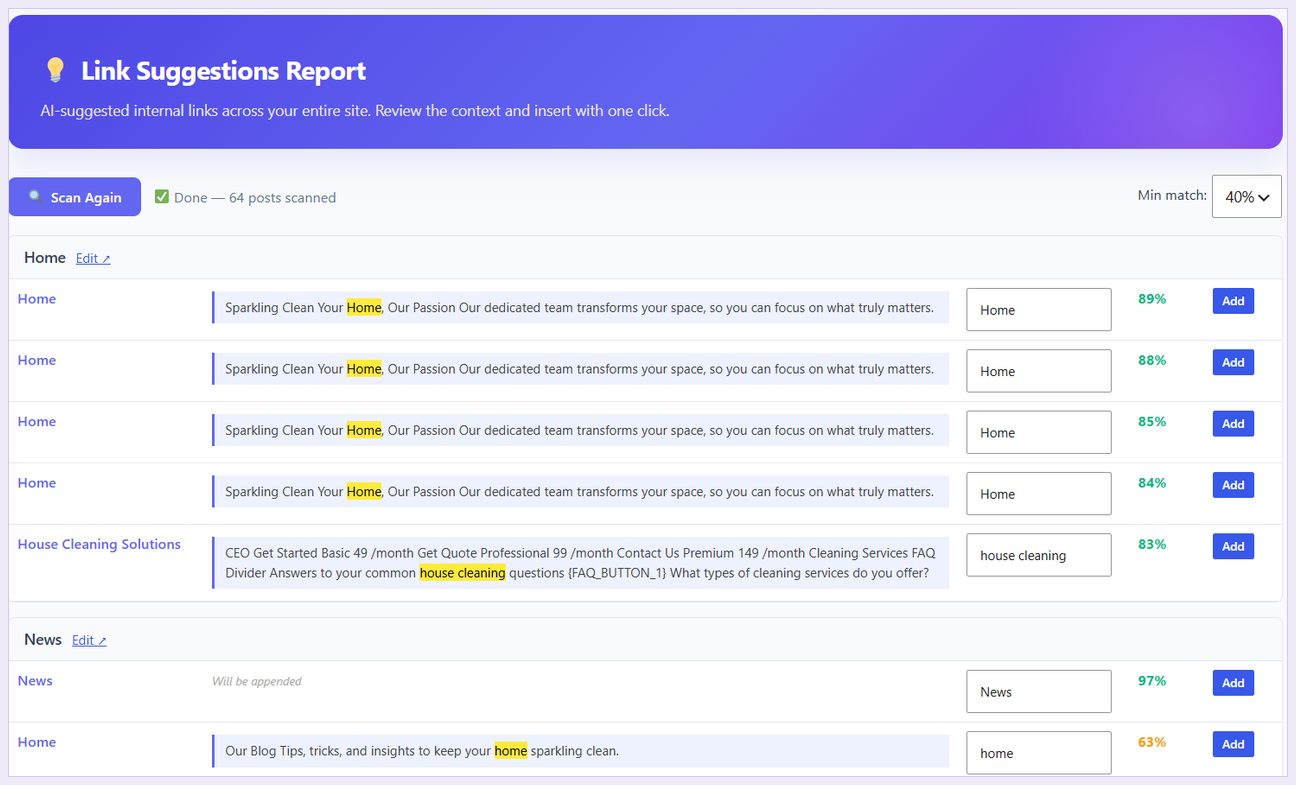
- 🔗 AI-powered link suggestions in Gutenberg and Classic Editor
- 🧱 Full Elementor and Beaver Builder support — indexing, reports and link insertion
- 🎯 Reuses focus keywords from Yoast, Rank Math, All in One SEO and SEOPress
- ⚡ Scales to large sites — vectors stored packed and scored in chunks, so memory stays flat
- ✍️ Anchor text taken from your own wording, and only ever a phrase that is really in the post
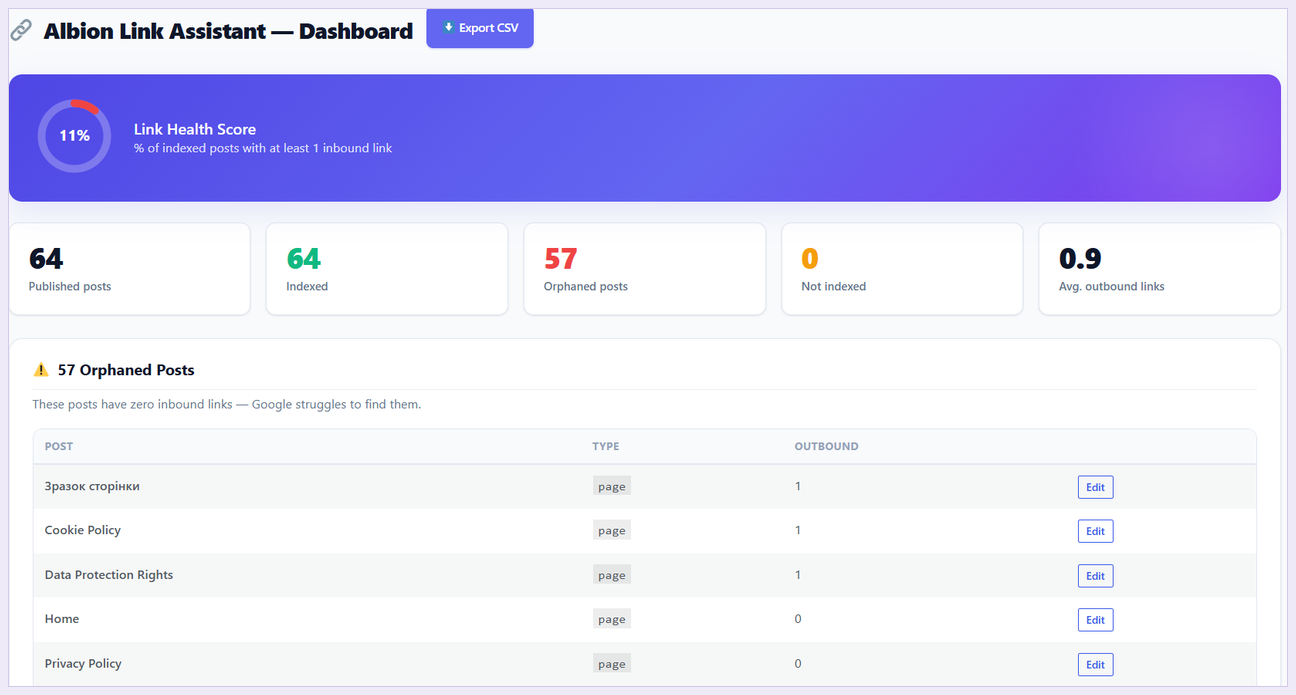
- 📊 Site health score (0–100%)
- ⚠️ Orphaned posts report
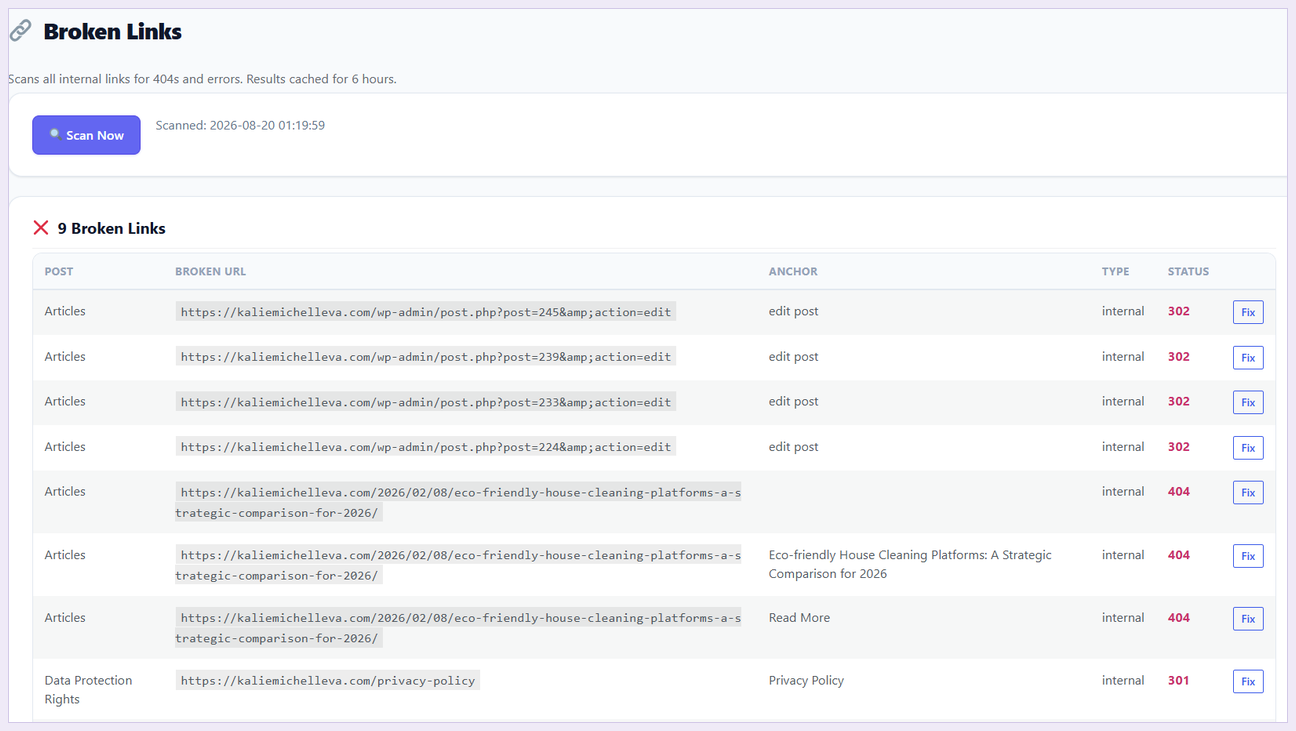
- 🔗 Broken links scanner (internal + external)
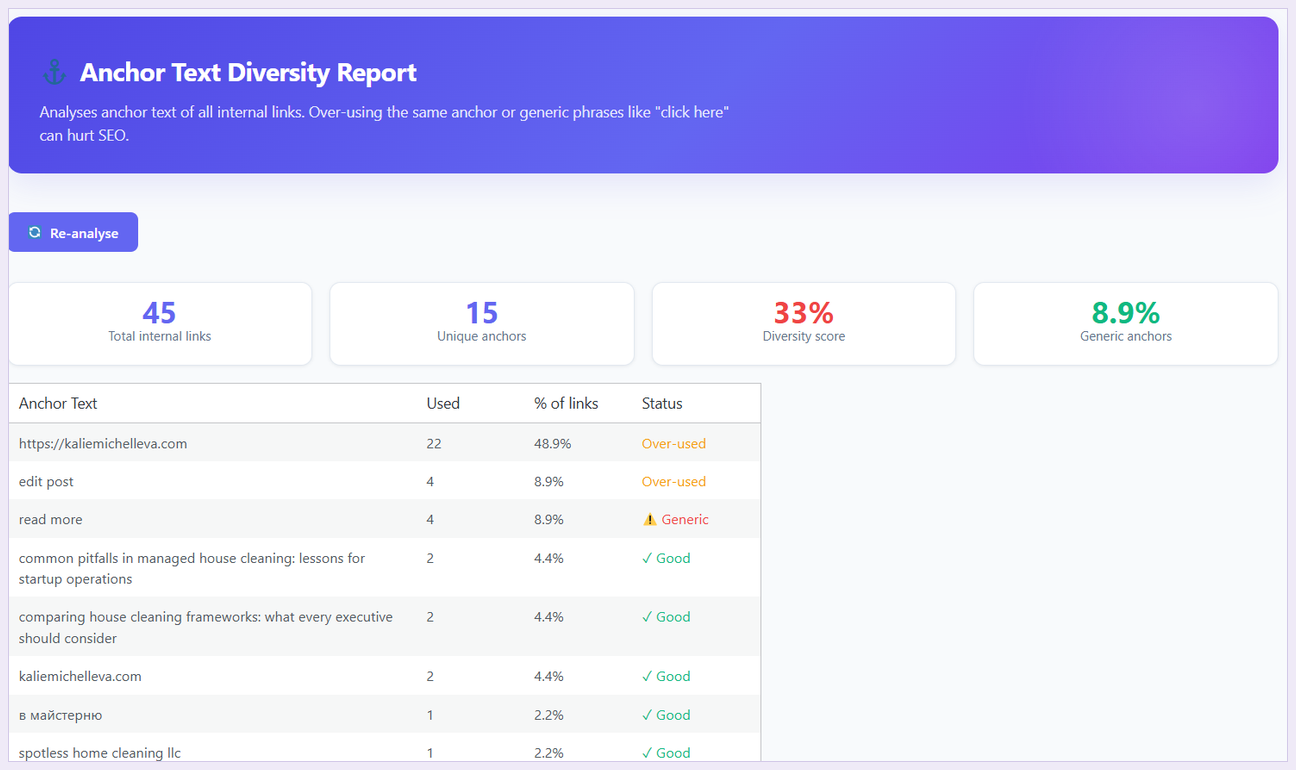
- ⚡ Auto-linking rules (keyword URL)
- 🔄 URL Changer — update all internal links at once
- 💰 Money Pages — mark and prioritize key pages
- 📈 Click tracking + Link Report
- 🌐 Domain Report (external links)
- 📋 Auto-link activity log
- 🔗 Related Posts widget
- 🚫 Exclude posts, categories, tags
- Polylang support (multilingual)
- ⬇️ Export CSV
Privacy
Post content is sent to OpenAI to generate embeddings. No content is stored externally — embeddings are saved in your own WordPress database.
External services
This plugin connects to the OpenAI API to turn your posts into embeddings, which is how it works out which pages are related.
It is called when you index or re-index your content, and when suggestions are requested for the post you are editing. The post title and text content are sent for that purpose. No personal data about your visitors is sent, and nothing is sent anywhere else — the plugin talks only to OpenAI, using an API key you supply yourself.
Service: OpenAI API — api.openai.com
Terms of use: openai.com/policies/terms-of-use
Privacy policy: openai.com/policies/privacy-policy
Source code
This plugin ships as plain, human-readable source. There is no build step, no bundler and no minified first-party code — every JavaScript file under assets/js/ is the file that actually runs and can be edited directly.
The Gutenberg sidebar is written against the wp.* browser globals using wp.element.createElement, so it requires no compilation.
Third-party libraries:
- d3 v7.8.5 — github.com/d3/d3 — BSD-3-Clause. Bundled under
assets/vendor/d3/, which contains both the minified build (d3.min.js, used by the plugin) and the full unminified source (d3.js), along with the upstream LICENSE file. Both are shipped exactly as published on npm and are not modified.
Development happens at: github.com/albion-web-studio/albion-link-assistant
Who makes this
Built and maintained by Albion Web Studio, a web development studio working on WordPress, WooCommerce, OpenCart and custom CRM projects. This plugin came out of internal work on client sites and is released free under the GPL.
Capturi ecran
Instalare
- Upload the plugin to
/wp-content/plugins/ - Activate the plugin
- Go to Smart Links Settings and enter your OpenAI API key
- Click 🔍 Run Diagnostic to verify everything works
- Click ⚡ Re-index All Content
- Open any post — the 🔗 icon appears in the Gutenberg toolbar
Întrebări frecvente
-
Where do I get an OpenAI API key?
-
Visit platform.openai.com/api-keys.
-
How much does indexing cost?
-
Using
text-embedding-3-smallat $0.02/million tokens. Indexing 1,000 posts typically costs ~$0.01. -
Why does „Create Table Now” fail?
-
Your MySQL user may lack CREATE TABLE privilege. Check 🔍 Run Diagnostic for the exact error.
Recenzii
Nu există nicio verificare pentru acest modul.
Contributori și dezvoltatori
„Albion Link Assistant” este un software open-source. La acest modul au contribuit următoarele persoane.
Contributori
Tradu „Albion Link Assistant” în limba ta.
Te interesează dezvoltarea?
Răsfoiește codul, vezi depozitarul SVN, sau abonează-te la jurnalul de dezvoltare prin RSS.
Istoric modificări
1.8.3
- Added a „Who makes this” section crediting Albion Web Studio
- Plugin URI now points to the plugin’s own documentation page
1.8.2
- Links in the plugin description are now clickable instead of appearing as plain text
- Fixed mid-sentence line breaks in the description and privacy sections
1.8.1
- Tested against WordPress 7.1
1.8.0
- Fixed: „Add Link” copied the URL to the clipboard instead of inserting it on pages built with Elementor or imported from the Classic Editor
- The editor sidebar now falls back to server-side insertion, which can write into page-builder layouts
- Added support for classic, HTML, verse and preformatted blocks
- Clearer result states: inserted, saved (reload to see), or anchor not found
1.7.9
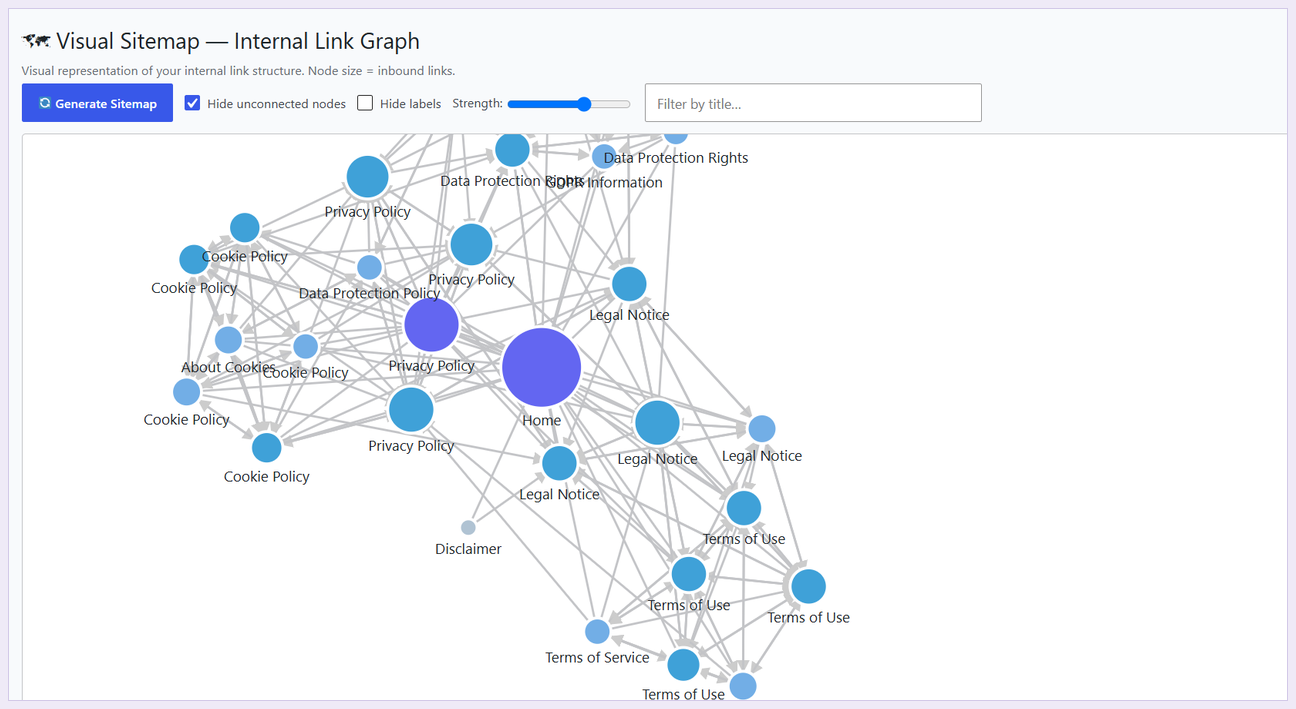
- Fixed: the visual sitemap drew nodes but no connections — edge endpoints were returned as strings and dropped by the client
- Fixed: Money Pages were never boosted in suggestions, because the comparison against saved IDs could not match
- Post IDs are now returned as integers throughout the REST API
1.7.8
- Fixed: saving a post raised a fatal error — a save_post hook pointed at a method that was never implemented
- Cached link counts and the broken-link scan are now cleared when a post is saved, so reports no longer show stale data for up to ten minutes
1.7.7
- Fixed: a single problem post no longer aborts an entire Bulk Auto-Link run
- Bulk Auto-Link now names the posts it skipped and why, instead of failing with an unexplained HTTP 500
- Hardened the bulk path against missing scores, empty URLs and posts with no extractable text
1.7.6
- Fixed: Bulk Auto-Link failed with a generic error — each edited post queued a fresh OpenAI embedding call, exhausting the request timeout
- Fixed: Bulk Auto-Link reported links added on Elementor and Beaver Builder pages while leaving the rendered page unchanged
- Fixed: a malformed index row could abort a bulk run with a fatal error
- Improved: bulk failures now report the HTTP status instead of an unexplained „Error”
1.7.5
- Fixed: the editor sidebar always reported that no posts matched the language filter, instead of returning suggestions
- Fixed: post and category exclusions were never applied to editor suggestions
- Fixed: the „Open Settings” button on the no-API-key screen did nothing when clicked
- Improved: the empty-state message now distinguishes between filtered-out candidates and genuinely unrelated content
1.7.4
- Annotated the remaining read-only $_GET reads so static analysis no longer flags them
1.7.3
- Tested up to WordPress 7.0
- Replaced strip_tags(), parse_url() and direct filesystem calls in the CSV export with WordPress equivalents
- Post types in the broken-link scan are now bound through prepare() instead of interpolated
1.7.2
- Fixed byte-based text truncation that corrupted non-Latin content sent to OpenAI
- The saved API key is no longer rendered back into the settings page
- Debug logging is now gated behind WP_DEBUG_LOG instead of always writing
- Tables are now created on every site of a multisite network, including new ones
- Uninstall now removes generated transients and cleans up across a network
1.7.1
- Escaped two remaining attribute outputs on the dashboard health ring
- Added translators comments to strings containing placeholders
- Guarded against an empty filtered post-type list producing invalid SQL
- Added defensive checks to the sitemap and click-tracking scripts
- Removed a third-party product name from the plugin description
1.7.0
- Renamed to Albion Link Assistant; all functions, options, constants, REST routes and database tables now use the
alblaprefix - All JavaScript is now enqueued properly — no inline script tags remain
- d3 is bundled locally instead of being loaded from a CDN
- The Gutenberg sidebar is now plain unminified source with no build step
- Hardened the public click-tracking endpoint: internal target URLs only
- Clearing the auto-link activity log now requires a nonce
- Fixed escaping on the „no API key” admin notice
1.3.4
- Fixed: Add Link now properly inserts into Gutenberg editor (wp-rich-text dependency)
- Fixed: Critical error on plugin deactivation (undefined CRON_HOOK_BATCH)
- Improved: Add Link shows „📋 URL copied” vs „✅ Added!” distinction
- Improved: onMouseDown preventDefault prevents editor losing selection
1.3.3
- Fixed: DATETIME DEFAULT CURRENT_TIMESTAMP TIMESTAMP (MySQL strict mode)
1.3.2
- Fixed: create_table uses both direct query and dbDelta fallback
- Fixed: Empty db_error now shows actionable message
1.0.0
- Initial release