
Descriere
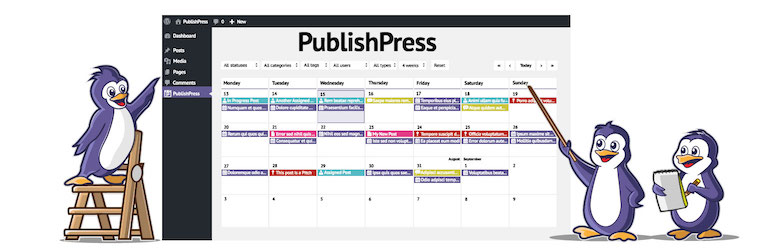
PublishPress Planner has all the tools you need to plan WordPress content including a Content Calendar, Content Overview, Kanban Board, content notifications, and more.
PublishPress Planner is ideal for WordPress sites that publish and promote high-quality content. Our goal is to help you publish content from inside WordPress. Our aim is to build SaaS-style features in WordPress so people don’t need an extra service to plan your content. Why use Trello, ClickUp, Notion, CoSchedule, or other products when you already have WordPress?
PublishPress Planner Pro
Upgrade to PublishPress Planner Pro
This plugin is the free version of the PublishPress Planner plugin. The Pro version comes with all the features you need to plan and schedule WordPress content. Click here to purchase the best premium WordPress content scheduling plugin now!
Content Calendar
The Content Calendar gives you a powerful overview of your publishing schedule. This screen works as a marketing calendar and an editorial calendar. You can easily see when content is planned, and when it was published. You can also drag-and-drop content to a new publication date. By default, you see all the WordPress content you have planned for the next few weeks. If you need to drill down, you can filter the calendar by post status, categories, users or post types.
Click here to read about the Content Calendar.
Content Overview
The Content Overview screen is a companion to the Calendar screen. Whereas the Calendar allows you to see content organized by dates, Content Overview allows you to drill down and see content organized by status, categories, or users. This content organizer allows to choose any data from WordPress to show in columns. In the top-right corner is a “Print” button. Click this to get a printable overview of all your planned content.
Click here to read about the Content Overview.
Content Board
The Content Board screen is a kanban board that you can use to organize your content. The Content Board provides one column for each status. You can drag-and-drop posts to change their status between Draft, Pending Review, Published, Scheduled, and more.
Click here to read about the Content Board.
Notifications
Notifications keep you and your team up to date on changes to important content. Users can be subscribed to notifications for any post, either individually or by selecting user groups. PublishPress Planner allows you to create powerful notification workflows based on post types, categories, status changes and much more.
Click here to read about the Content Notifications.
Slack Notifications
This PublishPress Planner Pro feature integrates your notifications with Slack. You can send notifications directly to a Slack channel and even reply without logging into WordPress.
Click here to read about the Slack Notifications.
Reminder Notifications
This PublishPress Planner Pro feature allows you to send notifications either before or after the publishing date for content. For example, before publication, you can send a reminder to editors, asking them to proof-read the post for publication. Or two or three days after publication, you can send a reminder to various team members, asking them to promote the post on social media.
Click here to read about the Reminder Notifications.
Join PublishPress and get the Pro plugins
The Pro versions of the PublishPress plugins are well worth your investment. The Pro versions have extra features and faster support. Click here to join PublishPress.
Join PublishPress and you’ll get access to these Pro plugins:
- PublishPress Authors Pro allows you to add multiple authors and guest authors to WordPress posts.
- PublishPress Blocks Pro has everything you need to build professional websites with the WordPress block editor.
- PublishPress Capabilities Pro is the plugin to manage your WordPress user roles, permissions, and capabilities.
- PublishPress Checklists Pro enables you to define tasks that must be completed before content is published.
- PublishPress Future Pro allows you to schedule changes to WordPress Posts.
- PublishPress Permissions Pro is the plugin for advanced WordPress permissions.
- PublishPress Planner Pro is the plugin for managing and scheduling WordPress content.
- PublishPress Revisions Pro allows you to update your published pages with teamwork and precision.
- PublishPress Series Pro enables you to group content together into a series.
- PublishPress Shortlinks Pro allows you to create custom URLs for your posts and external links.
- PublishPress Statuses Pro enables you to create additional publishing steps for your posts.
Together, these plugins are a suite of powerful publishing tools for WordPress. If you need to create a professional workflow in WordPress, with moderation, revisions, permissions and more… then you should try PublishPress.
How Does Planner Compare to Other Plugins?
There are other Editorial Options for WordPress including SchedulePress, Nelio Content, Edit Flow, Coschedule and more. PublishPress Planner is significantly cheaper than CoSchedule with is a hosted SaaS service. Most people use Planner for free, whereas Coschedule costs for more than just 1 user. When compared to WordPress plugins, Planner stands out for its power and flexibility. Our aim is to give you all the power of a SaaS service, directly inside your WordPress site. PublishPress Planner was originally based on the Edit Flow plugin but has had more updates in recent years.
Bug Reports
Bug reports for PublishPress Planner are welcomed in our repository on GitHub. Please note that GitHub is not a support forum, and that issues that are not properly qualified as bugs will be closed.
Follow the PublishPress team
Capturi ecran
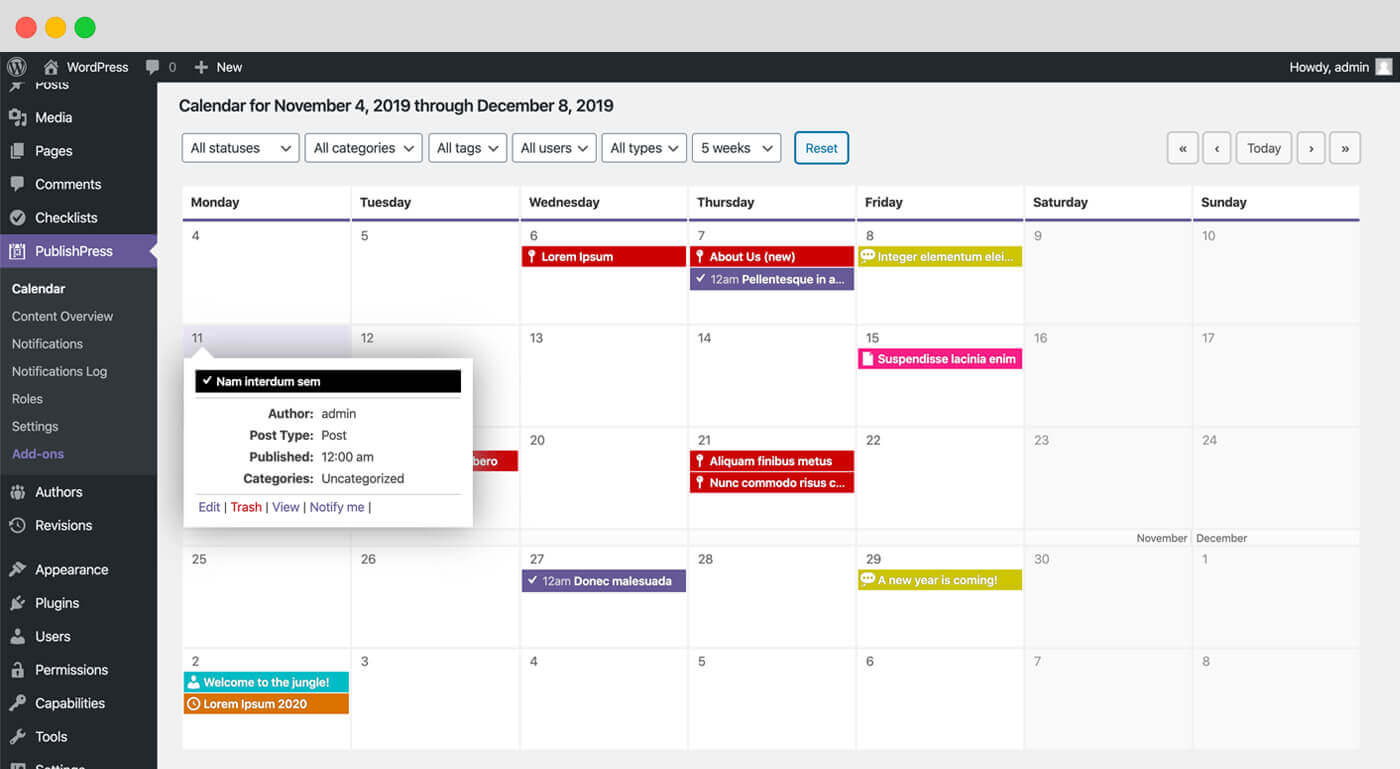
Content Calendar: Using the Content Calendar, you’re able to see when content is planned, and when it is published. 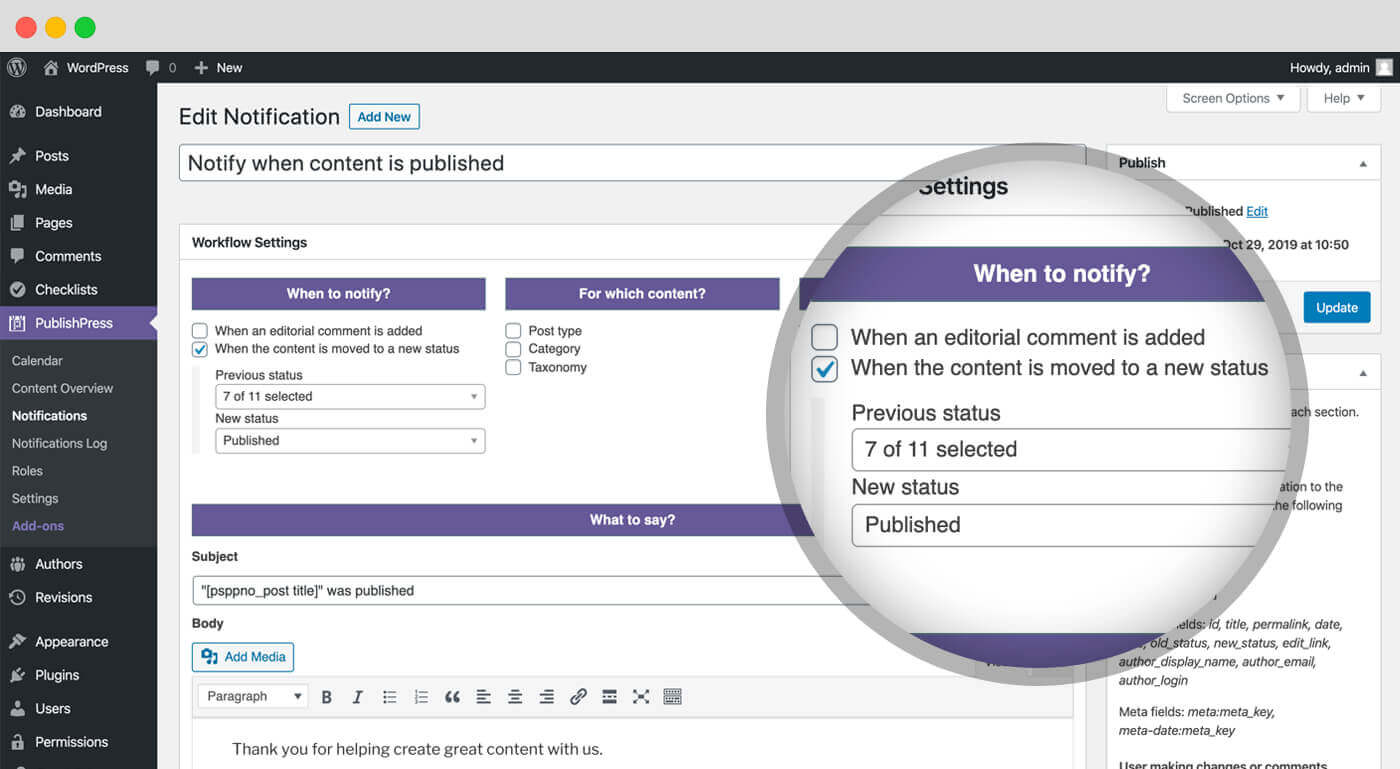
Content Overview: The Content Overview screen allows you to drill down and see content organized by status, categories, or users. 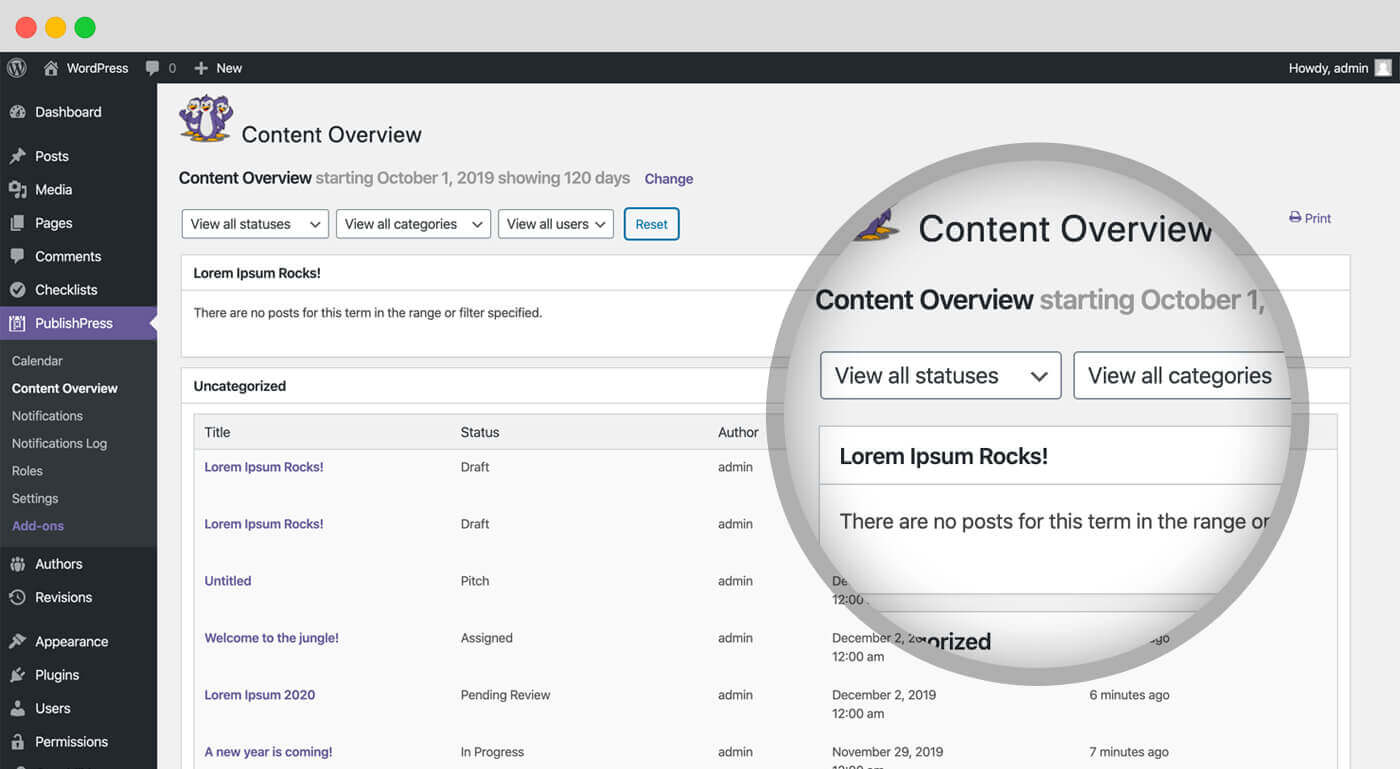
Content Board: This is a kanban board for planning your WordPress content. The Content Board Screen screen provides one column for each status. You can drag-and-drop posts to change their status. 
Notifications: PublishPress Planner Notifications keeps you and your team up to date on changes to important content. 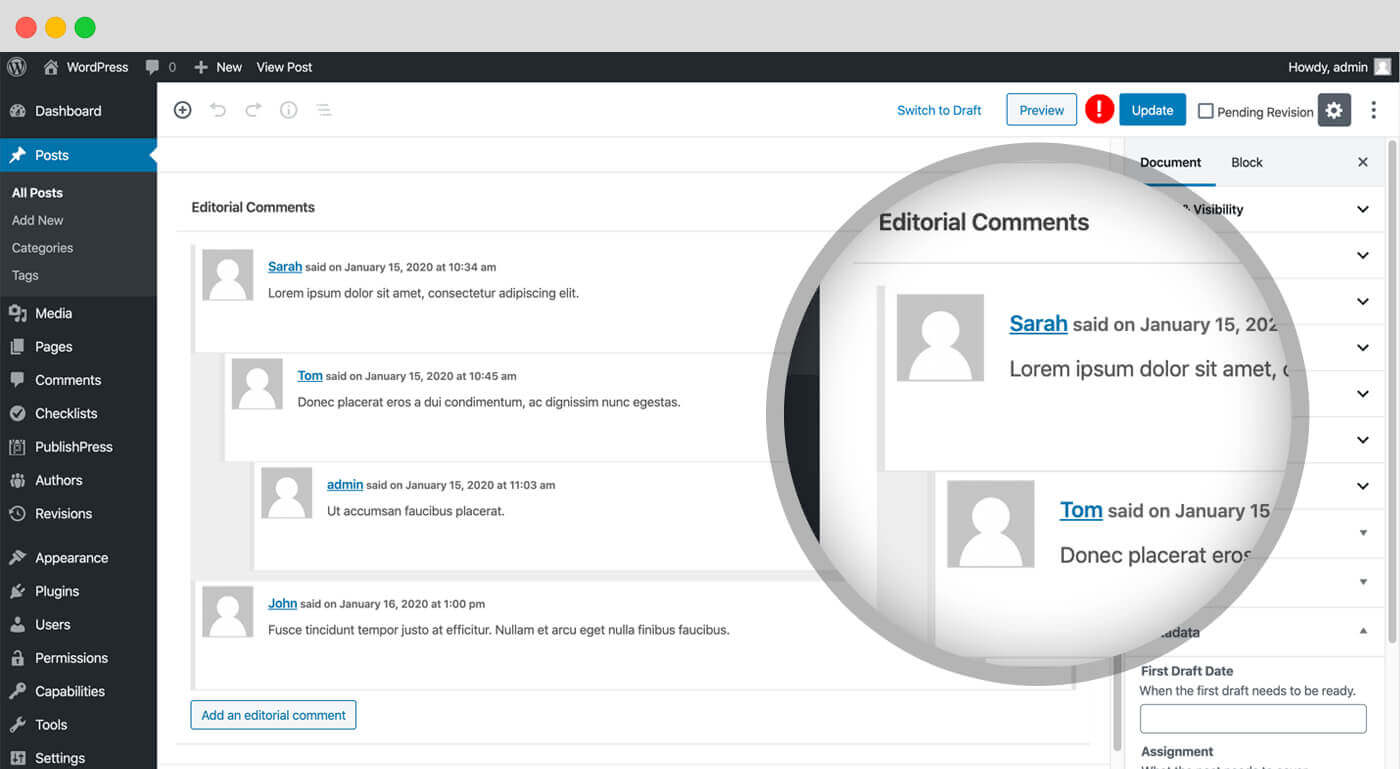
Editorial Fields: Editorial Fields enable you to keep track of important requirements for your content. This feature allows you to create fields and store information about content items. 
Editorial Comments: PublishPress Planner allows you to leave comments under each post you write. 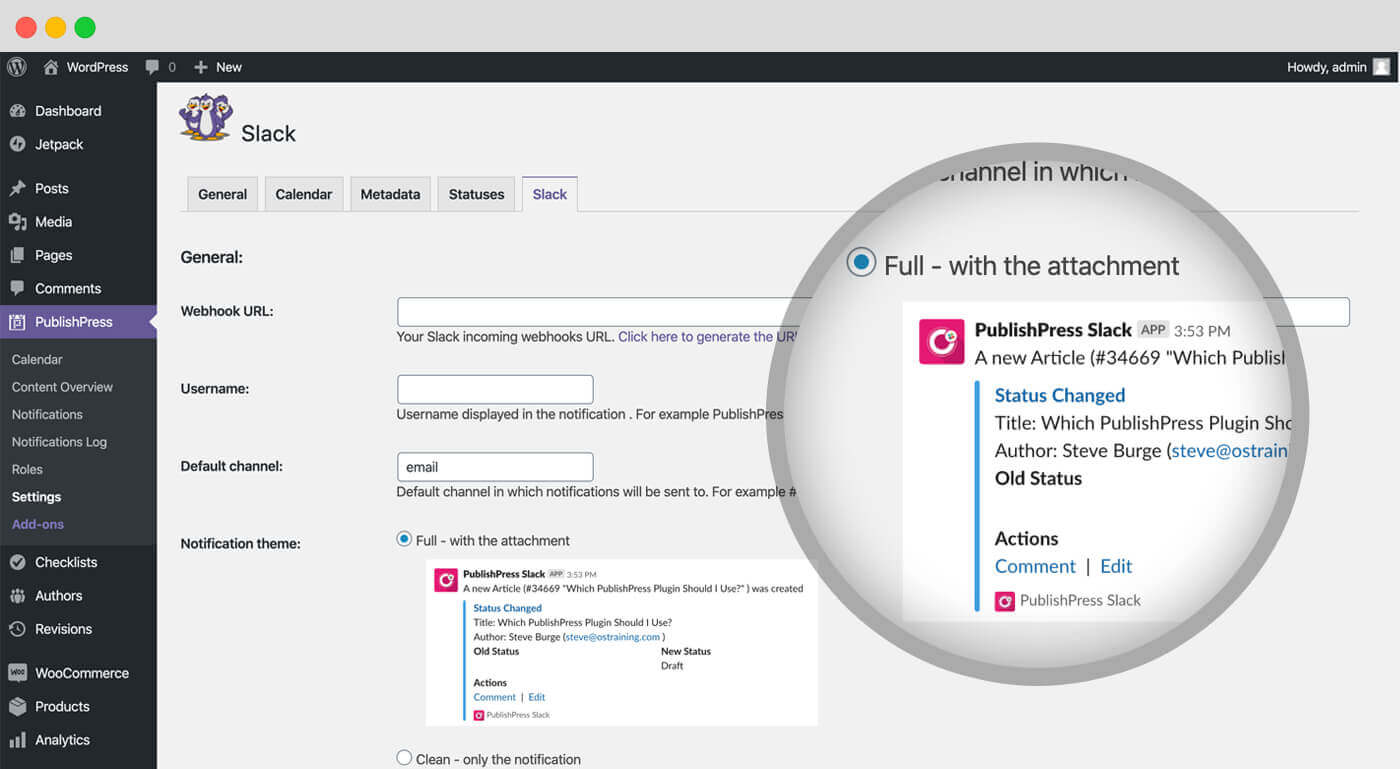
Slack Notifications: This PublishPress Planner Pro feature integrates your notifications with Slack. 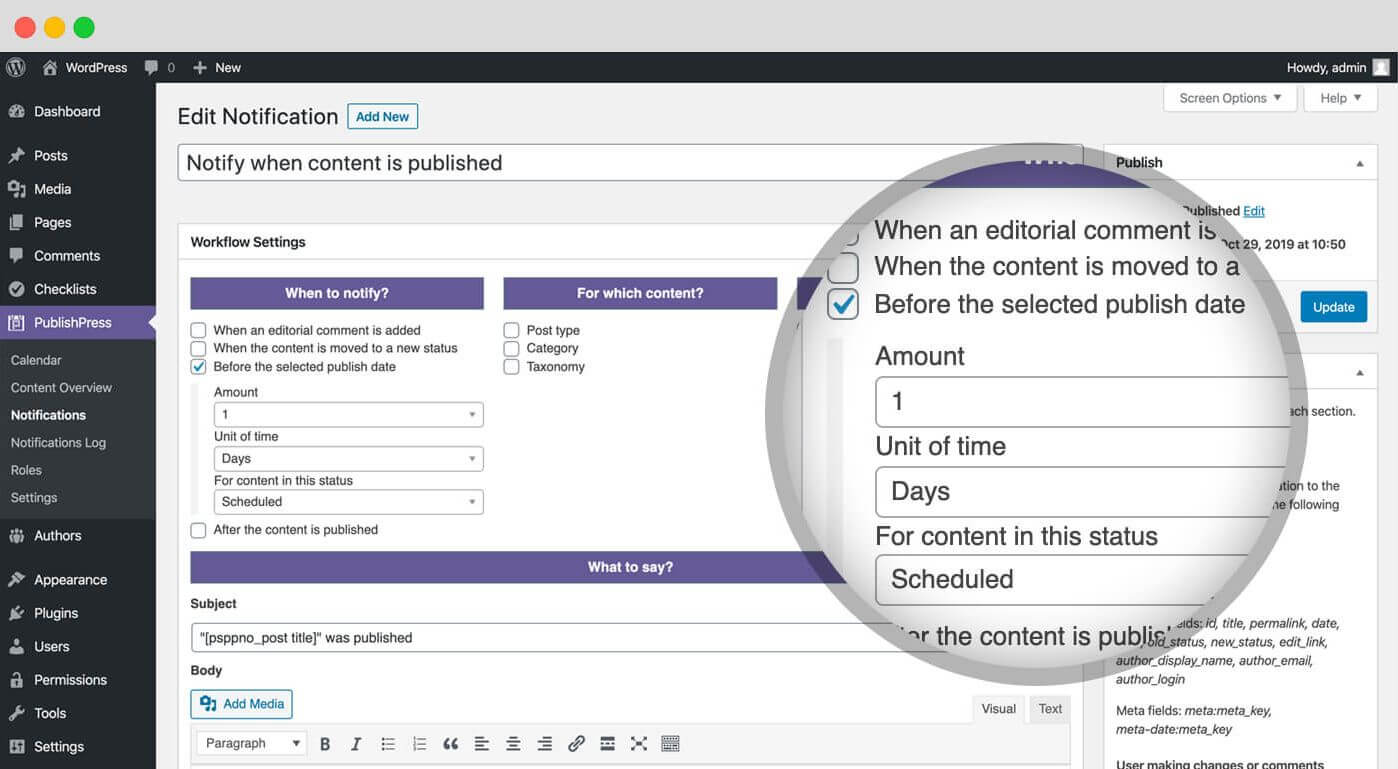
Reminder Notifications: The PublishPress Planner Pro feature allows you to send notifications either before or after the publishing date for content.
Întrebări frecvente
-
How do I import from Edit Flow?
-
PublishPress Planner is based on the EditFlow plugin. It is easy for Edit Flow users to import your data and settings.
-
Are Editorial Comments Available in Planer?
-
Yes, one feature in PublishPress Planner is editorial comments. This is a legacy feature but still available to be enabled via the „Settings” screen. You can leave comments under each post you write. This is a private conversation between writers and editors and allows you to discuss what needs to be changed before publication.
-
Are Editorial Fields Available in Planer?
-
Yes, one feature in PublishPress Planner is editorial fields. Editorial Fields enable you to keep track of important requirements for your content. This is a legacy feature but still available to be enabled via the „Settings” screen. This feature allows you to create fields and store information about content items. By default, PublishPress Planner provides 4 examples of metadata, but you can add your own to meet your team’s needs.
Recenzii


Contributori și dezvoltatori
„Editorial Calendar, Marketing Content, Kanban Board – PublishPress Planner” este un software open-source. La acest modul au contribuit următoarele persoane.
Contributori


„Editorial Calendar, Marketing Content, Kanban Board – PublishPress Planner” a fost tradus în 12 locale. Mulțumim traducătorilor pentru contribuția lor.
Tradu „Editorial Calendar, Marketing Content, Kanban Board – PublishPress Planner” în limba ta.
Te interesează dezvoltarea?
Răsfoiește codul, vezi depozitarul SVN, sau abonează-te la jurnalul de dezvoltare prin RSS.
Istoric modificări
The full changelog can be found on GitHub.