

Descriere
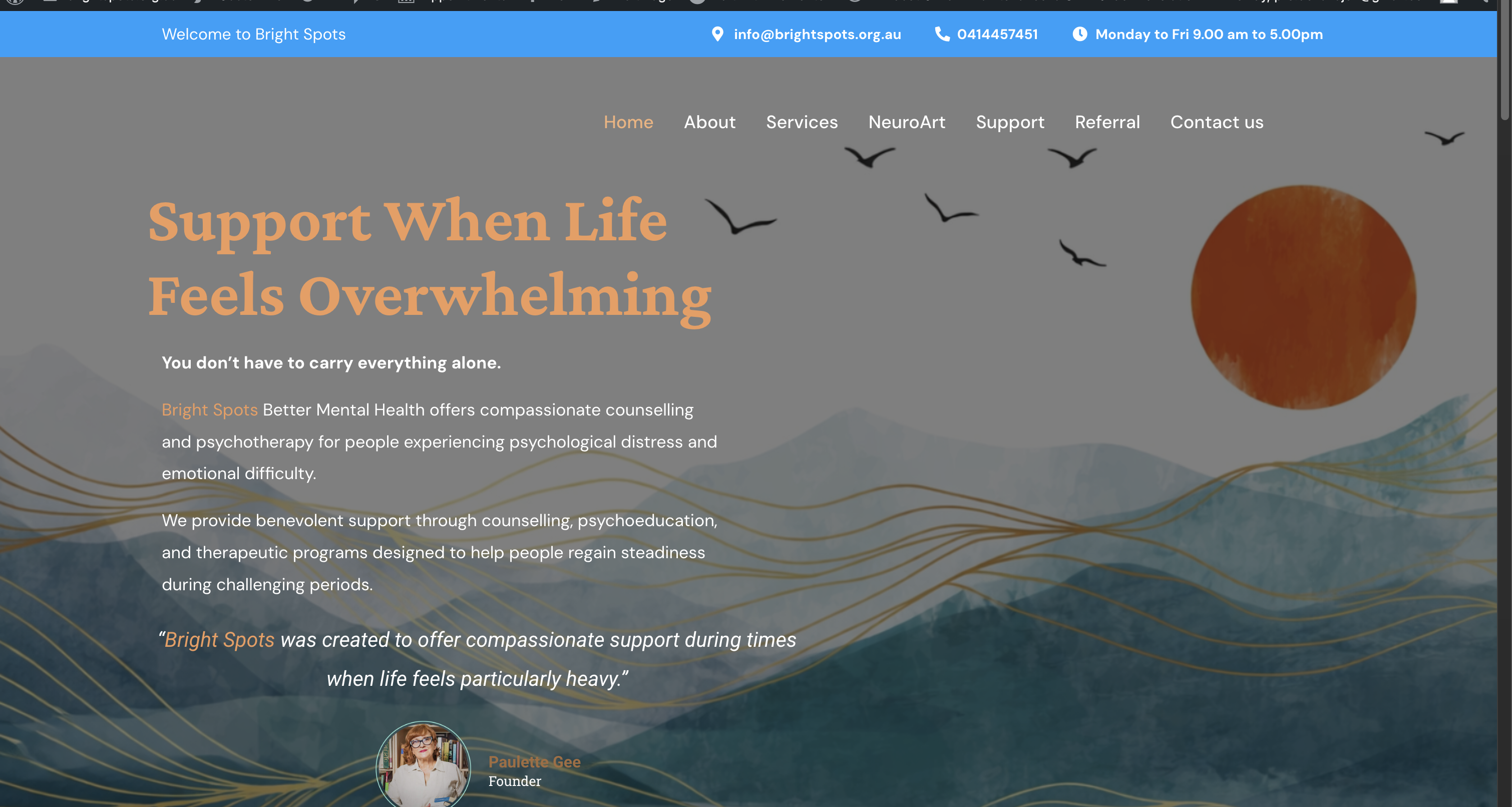
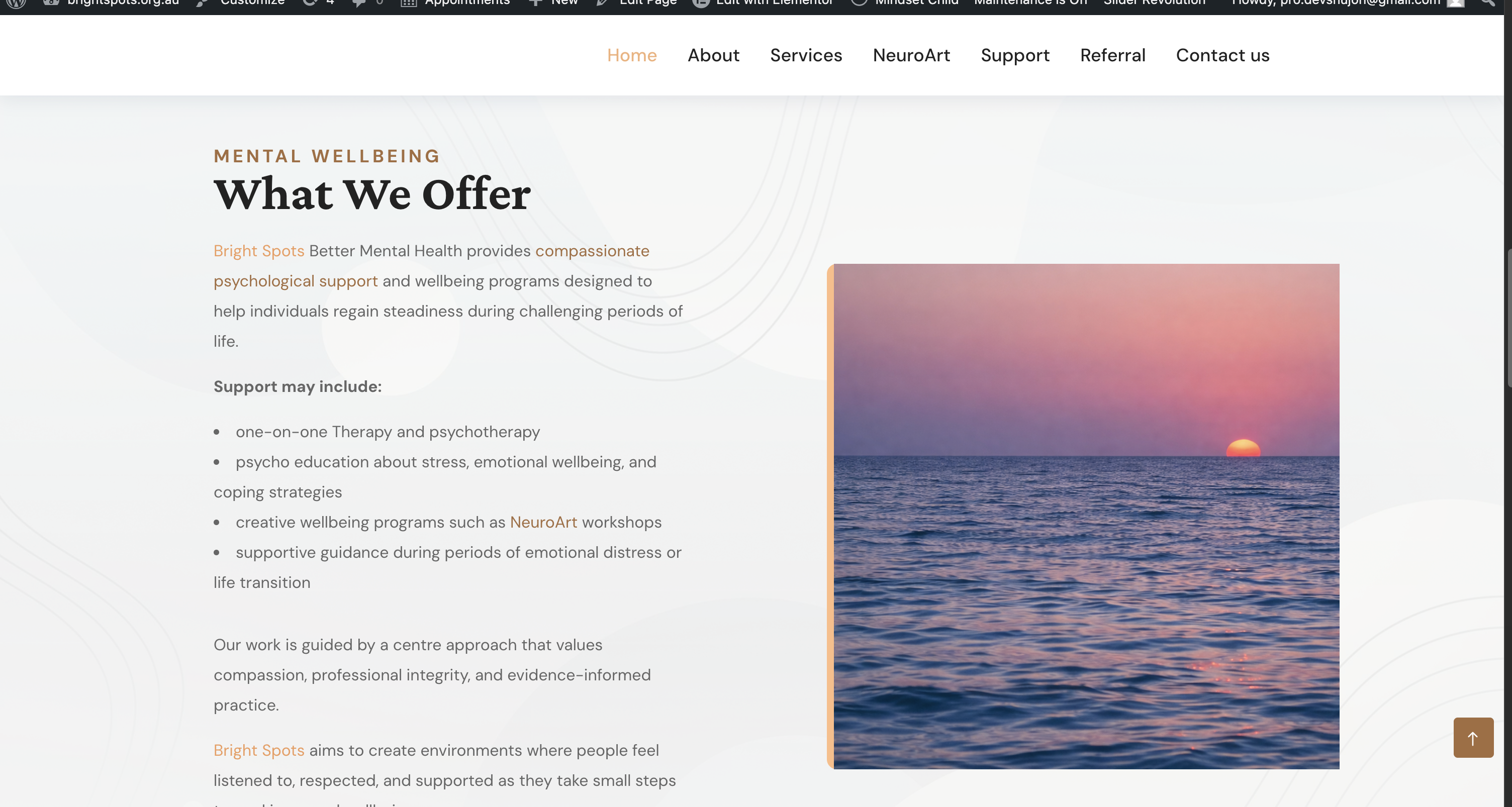
Dev Highlighter lets you turn any word or phrase into a styled, optionally-linked highlight everywhere it appears in your content — without editing a single post by hand.
Define a keyword once, choose how it should look (text colour, background colour, bold, italic, underline), optionally give it a link, and Dev Highlighter does the rest on the front end. It is built for performance: rules are compiled and cached, and content is parsed safely with DOMDocument so your markup is never mangled.
Key features
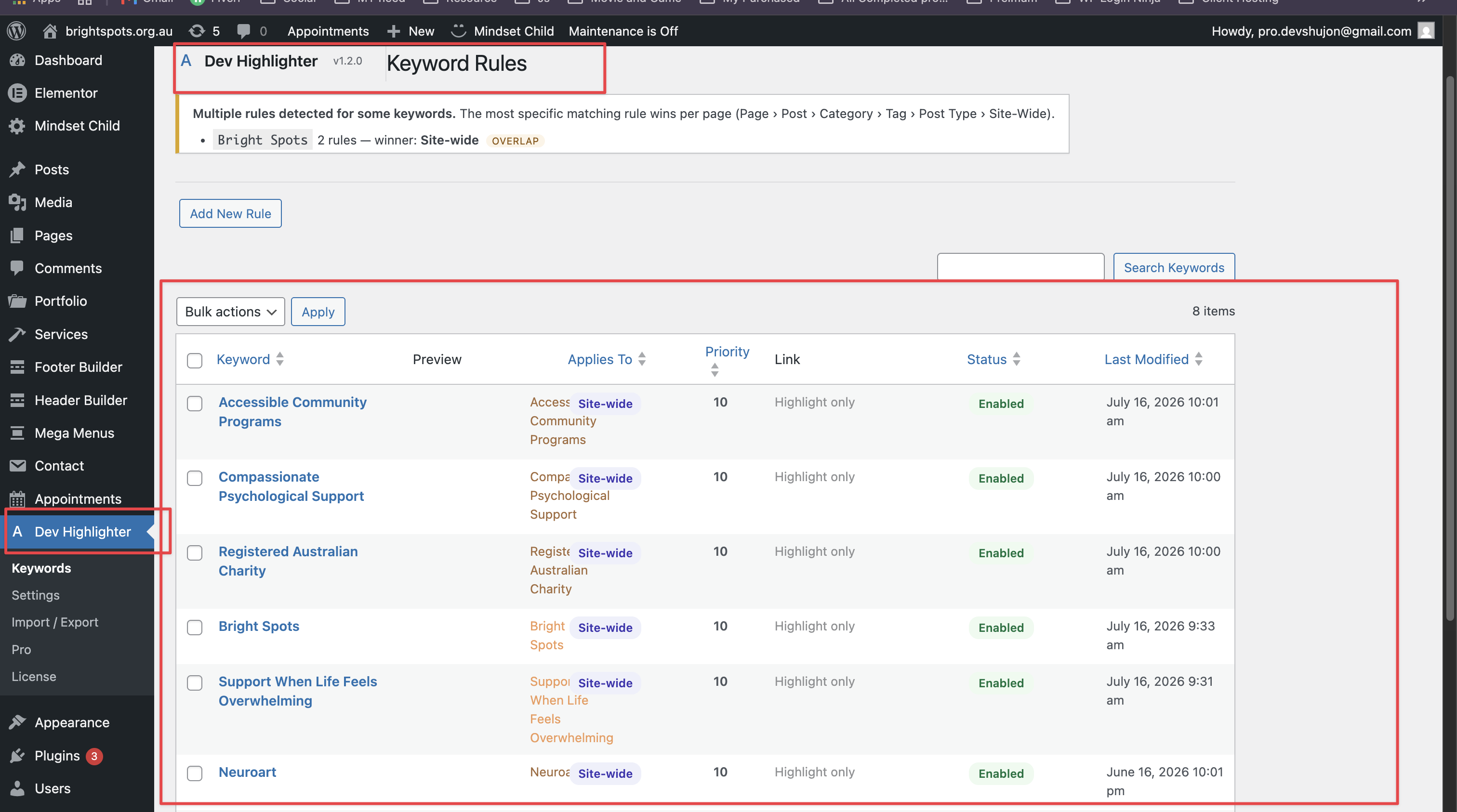
- Context-aware rules engine — one keyword can have many rules, each with its own colour, link, and target. Highlight „Mental Health” gold site-wide, green on selected pages, and blue in a category — all at once.
- Targeting — apply a rule Site-Wide, or to Selected Pages, Selected Posts, Categories, Tags, or Post Types.
- Exclusions — exclude specific posts/pages by ID, categories, or whole post types per rule.
- Priority system — when several rules match, the most specific one wins (Page › Post › Category › Tag › Post Type › Site-Wide); a per-rule priority breaks ties.
- Smart conflict detection — the admin flags keywords with multiple rules and shows which one wins.
- Future-proof architecture — a pluggable condition registry and filterable scope weights make new conditions drop-in additions.
- Unlimited keyword rules — add as many as you need.
- Styling — text colour, background colour, bold, italic, and underline per keyword.
- Auto-linking — add an optional URL to turn a keyword into a link, with optional „open in new tab” (adds
rel="noopener noreferrer"). - Smart phrase protection — longer phrases always win, so „Mental Health Program” is never broken into „Mental Health” + „Program”.
- Post type control — choose exactly where processing runs: Posts, Pages, or any public custom post type.
- Safe parsing — never touches text inside
script,style,textarea,pre,code, or existing links. - Optimised CSS — identical styles are de-duplicated into shared, generated classes; no repeated inline CSS.
- Import / Export — move your rules between sites as JSON, with merge or replace.
- Performance first — compiled rules are cached in a transient and only rebuilt when a rule changes, so sites with 500+ keywords stay fast.
- Translation ready — fully internationalised with the
dev-highlightertext domain.
Where processing runs
Dev Highlighter only filters the_content on the front end. It never runs in the admin area, feeds, REST requests, AJAX requests, or cron. It makes no external/third-party HTTP requests.
Extensible by design
Dev Highlighter exposes documented filters and actions (word_spotlight_condition_evaluators, word_spotlight_collect_conditions, word_spotlight_sanitize_extra_conditions, word_spotlight_rule_builder_fields, and the scope-weight filters) so optional add-ons can register new targeting conditions and rule-builder fields without modifying the core engine. An optional premium add-on, Dev Highlighter Pro, builds on these hooks; it is a separate plugin and is not required for any feature described above.
Capturi ecran
Instalare
- Upload the
dev-highlighterfolder to the/wp-content/plugins/directory, or install the plugin through the Plugins screen in WordPress. - Activate the plugin through the Plugins screen.
- Go to Dev Highlighter Keywords and add your first keyword rule.
- Visit Dev Highlighter Settings to choose which post types are processed and to set any exclusions.
Întrebări frecvente
-
Does it modify my stored content?
-
No. Highlighting happens on output via the
the_contentfilter. Your posts are never altered in the database. -
Will it break my HTML?
-
No. Content is parsed with DOMDocument rather than naive string replacement, and text inside
script,style,textarea,pre,code, and existingatags is skipped. -
How does phrase protection work?
-
Keywords are sorted longest-first and matched with ordered alternation, so the longest matching phrase at any position always wins.
-
Is it fast on large sites?
-
Yes. Compiled rules and the generated stylesheet are cached in a transient and only rebuilt when you change a rule. A fast pre-check skips the DOM entirely on content that contains no keywords.
-
How do I exclude my cart or checkout page?
-
Go to Dev Highlighter Settings Exclusions and add the page slugs (for example
cart,checkout,my-account) or their post IDs. -
Does the plugin contact any external service?
-
No. The free plugin makes no outbound network requests and stores all of its data in your own WordPress database.
Recenzii
Nu există nicio verificare pentru acest modul.
Contributori și dezvoltatori
„Dev Highlighter” este un software open-source. La acest modul au contribuit următoarele persoane.
Contributori
Tradu „Dev Highlighter” în limba ta.
Te interesează dezvoltarea?
Răsfoiește codul, vezi depozitarul SVN, sau abonează-te la jurnalul de dezvoltare prin RSS.
Istoric modificări
1.2.0
- Added documented extension points (filters/actions) so optional add-ons can register custom targeting conditions and rule-builder fields without modifying the core engine.
- Internal refinements to the rules engine and admin.
1.1.0
- New: context-aware rules engine — multiple rules per keyword, each with its own styling, link, and target.
- New: rule targeting by Site-Wide, Selected Pages, Selected Posts, Categories, Tags, or Post Types.
- New: per-rule exclusions (post/page IDs, categories, post types) and a priority tiebreaker.
- New: specificity-based priority resolution (Page › Post › Category › Tag › Post Type › Site-Wide) — the most specific rule always wins.
- New: visual rule builder with a live preview and smart conflict detection.
- New: pluggable condition registry and filters for future conditions.
- Existing keywords are automatically migrated to Site-Wide rules — no action needed.
1.0.0
- Initial release.