
Descriere
This plugin version has olds settings
Tcard WP is a plugin that lets you add beautiful cards to your website. You can pick from one of the 6 pre-made cards, each with 60 color variations or create your own custom design. The cards are build to allow easy customizations and work flawlessly in all the modern web browsers.
With Tcard it is easy to create forums like contact / register / login and can be used anywhere in the page.
Tcard has been tested in following browsers/devices:
- Chrome
- Firefox
- Opera
- Safari
- IE11/Edge
Demo pre-made skins
FEATURES
- Bootstrap 3
- 6 Skin
- Fully responsive
- Mobile ready
- Display posts by: Category,Order by,Order
- Gallery
- Login/Register/Contact can be used anywhere in your website
- Group Settings
- Skin Settings
- Different settings on front or back
- Different colors on front or back
- Hover Animation
- Button Animation
- Flip Animation
- Rotate Animation
- Turn on/off => Flip/Rotate Animations
- Count number
- Skills
- Multiple groups on the same page
- Scroll Animations
- Multicolor
- Cubic Bezier transition timing
- Multiline Ellipsis Text
- Unlimited number of card
- Adjustable speed, animations delay
- Easy to Configure
TCARD PRO FEATURES
- Bootstrap 4
- Bootstrap 3
- 6 Skin
- Custom Skin
- Drag and drop elements
- Fully responsive
- Mobile ready
- Widget
- Display posts by: Category,Order by,Order
- Gallery
- Group Galleries
- Individual Gallery
- Ajax Gallery / The user can manage their own gallery
- Over 23 elements
- Twitter profile
- Twitter feed
- Slider
- Custom Login
- Custom Register
- Custom Contact
- Login/Register/Contact can be used anywhere in your website
- Group Settings
- Skin Settings
- Different settings on front or back
- Different colors on front or back
- Hover Animation
- Button Animation
- Flip Animation
- Rotate Animation
- Turn on/off => Flip/Rotate Animations
- Count number
- Skills
- Multiple groups on the same page
- Scroll Animations
- Multicolor
- Cubic Bezier transition timing
- Multiline Ellipsis Text
- Unlimited number of card
- Adjustable speed, animations delay
- Easy to Configure
- Clean documentation with examples
- Constant support
By implementing Arcfilter in Tcard WP PRO, the plugins working together to help you creating a portofolio page with custom cards from Tcard or posts. Arcfilter provide four style type for menus and items or you can choose Custom style and build your own style, works in all modern browsers and touch devices.
You can choose how to display items by selecting Load More,Scroll or Pagination. Using the pushState method with ajax option selected can manipulate the browser’s history for SEO.
Filter features List:
- Display Items:
- Hidden
- Ajax
- Type of display:
- None(will show only how many items you want to be displayed)
- Load More
- Scroll
- Paginstion
- WooCommerce
- Each category can have its own style
- More than 30 animations
- Touch devices
- 4 Style
- SEO-friendly
- Group Settings
- Items Settings
- Multiple groups on the same page
- Scroll Animations
- Unlimited number of items
- Adjustable speed, animations delay
- Easy to Configure
- Clean documentation with examples
- Constant support
Upgrade to Pro Version
Capturi ecran

Admin panel 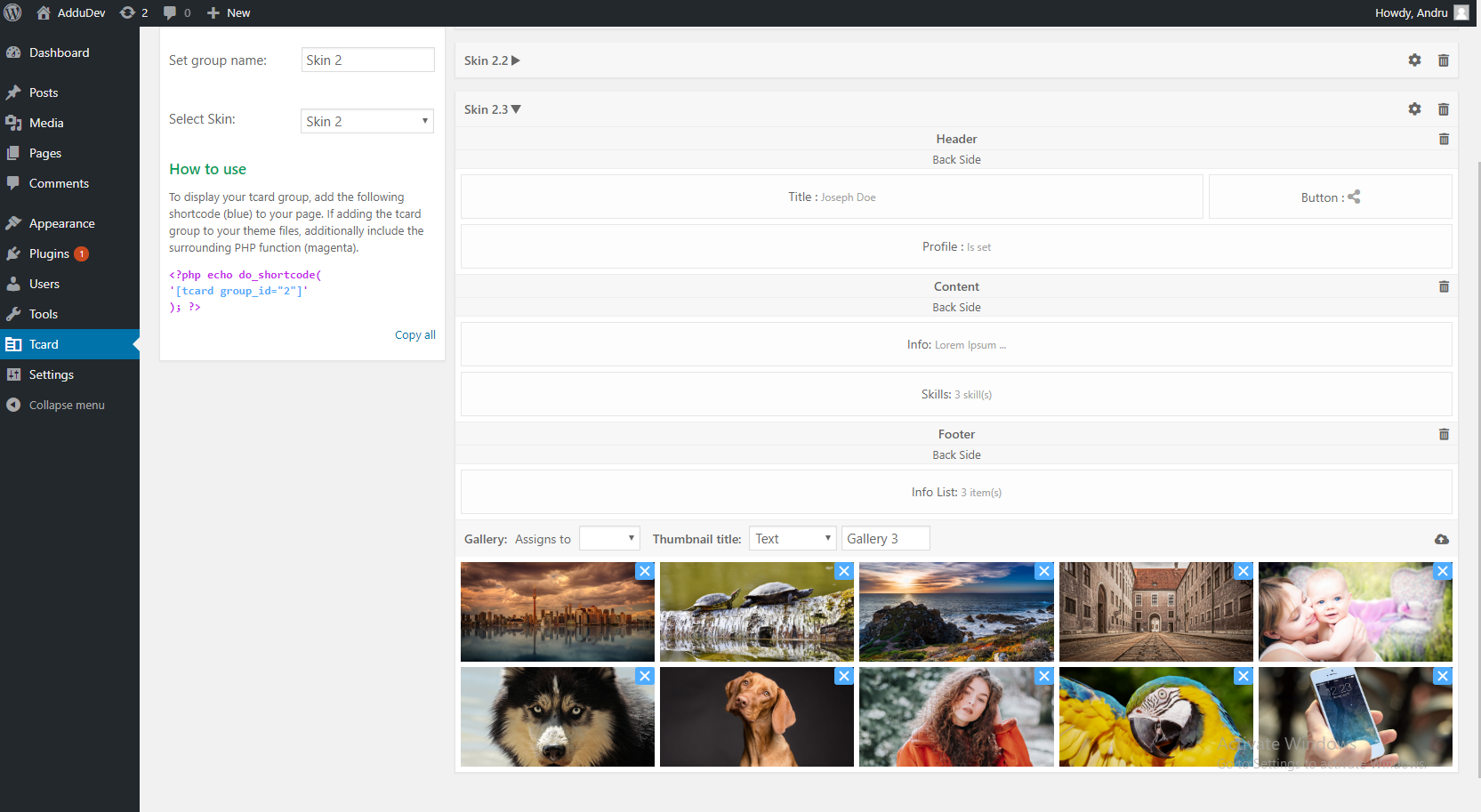
Admin panel 
Group Settings 
Skin Settings 
Skin Settings
Instalare
1.0 Upload the plugin files to the `/wp-content/plugins directory, or install the plugin through the WordPress plugins screen directly.
1.1 Activate the plugin through the ‘Plugins’ screen in WordPress
1.2 Go to the Tcard section.
1.3 Click on create a new Group
1.4 Set name of Group
1.5 Select Skin Type
1.6 Add Skin
Întrebări frecvente
- What about Tcard ?
-
I created this plugin because I want information to be founded faster when users search something in website.
Recenzii
Nu există nicio verificare pentru acest modul.
Contributori și dezvoltatori
„Tcard WP” este un software open-source. La acest modul au contribuit următoarele persoane.
Contributori
Te interesează dezvoltarea?
Răsfoiește codul, vezi depozitarul SVN, sau abonează-te la jurnalul de dezvoltare prin RSS.
Istoric modificări
Tcard v1.8.0
Change:
– Bug Fixed: PHP Notice: Undefined variable: modalType
Tcard v1.7.9
Change:
– Bug Fixed: admin_skin function
Tcard v1.7.8
Change:
– Bug fixed: output col-* in front.
Tcard v1.7.7
Change:
– File fixed: change TcardTables.php
– Bug fixed: unexpected output during activation.
Tcard v1.7.6
Change:
– Bug fixed: for create a new group function in admin
Tcard v1.7.5
Change:
– Bug fixed: debug for all elements and settings
Tcard v1.6
Changes:
– Bug fixed: Some issues on scroll window for checkTcardView function
Add new
Tcard v1.4
Change:
– Bug fixed: Some issues with add new slide in slider element
Tcard v1.3
Changes:
– Bug fixed: gallery for mobile
– Bug fixed: sortable function