Title: Tabular – Create Stunning HTML Tables
Author: David Gwyer
Published: 1 noiembrie 2017
Last modified: 1 noiembrie 2017
---
Caută module

Acest modul **nu a fost testat cu ultimele 3 versiuni importante ale WordPress**.
S-ar putea să nu mai fie întreținut sau susținut și ar putea avea probleme de compatibilitate
când este folosit cu versiuni recente ale WordPress.
# Tabular – Create Stunning HTML Tables
De [David Gwyer](https://profiles.wordpress.org/dgwyer/)
[Descarcă](https://downloads.wordpress.org/plugin/tabular-lite.0.1.0.zip)
* [Detalii](https://ro.wordpress.org/plugins/tabular-lite/#description)
* [Recenzii](https://ro.wordpress.org/plugins/tabular-lite/#reviews)
* [Instalare](https://ro.wordpress.org/plugins/tabular-lite/#installation)
* [Dezvoltare](https://ro.wordpress.org/plugins/tabular-lite/#developers)
[Suport](https://wordpress.org/support/plugin/tabular-lite/)
## Descriere
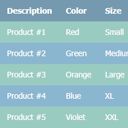
Tabular is a brand new way to create HTML tables for your WordPress website. Each
table is created automatically so no manual coding is required. Simply enter table
data, or paste in directly from a spreadsheet, choose your table template, and that’s
it. You’re good to go!
A full demo will be coming soon but click [here](http://demo.wpgothemes.com/flexr/tabular-demo/)
to see a live demo of a table generated by Tabular, plus the outputted HTML code.
The generated table code is highly semantic in accordance with recommended web standards
and best practices. Tabular does all this for you automatically, leaving you to
focus on what data you want your table to display, and how it looks.
Create unlimited tables with Tabular. There is no restriction on the number of tables
you can create, or the amount of data added to each table.
Super fast table editor! Edit the data for each table just as you would in any spreadsheet
software such as Excel. You can even paste in data directly too for convenience,
making editing even faster still. Also, the spreadsheet editor supports an undo
function to reduce errors and recover deleted data.
If you have a moment, consider leaving feedback in the [comments](https://wordpress.org/support/plugin/tabular-lite/reviews/)
section. This is really important and helps us continuously improve upon the plugin.
Help us to make it even better!
Please also rate Tabular if you find it useful.
Thanks to all our free plugin users for your continued support! 🙂
David – [wpgoplugins.com](https://wpgoplugins.com)
## Capturi ecran
[⌊Create unlimited tables with Tabular.⌉⌊Create unlimited tables with Tabular.⌉[
Create unlimited tables with Tabular.
[⌊Adding a new table.⌉⌊Adding a new table.⌉[
Adding a new table.
[⌊Default view of a newly created table.⌉⌊Default view of a newly created table.⌉[
Default view of a newly created table.
[⌊Table templates are updated in the preview instantly.⌉⌊Table templates are updated
in the preview instantly.⌉[
Table templates are updated in the preview instantly.
[⌊Multiple table templates available.⌉⌊Multiple table templates available.⌉[
Multiple table templates available.
[⌊Interactive spreadsheet type table editor makes editing tables very easy and fast!⌉⌊
Interactive spreadsheet type table editor makes editing tables very easy and fast
!⌉[
Interactive spreadsheet type table editor makes editing tables very easy and fast!
## Instalare
1. Via the WordPress admin go to Plugins => Add New.
2. Enter ‘Tabular’ (without quotes) in the text box and click the ‘Search Plugins’
button.
3. In the list of relevant Plugins click the ‘Install’ link for Tabular on the right
hand side of the page.
4. Click the ‘Install Now’ button on the popup page.
5. Click ‘Activate Plugin’ to finish installation.
6. Under the main Tabular menu click ‘Add New Table’.
7. Select your desired table type and click ‘Create Table’.
8. Edit the table data and choose a style template.
9. Use the [tabular id=”123″] shortcode in a page, post, or text widget to display
a table. Replace ‘123’ with the specific ID of the table you want to display.
## Întrebări frecvente
Installation Instructions
1. Via the WordPress admin go to Plugins => Add New.
2. Enter ‘Tabular’ (without quotes) in the text box and click the ‘Search Plugins’
button.
3. In the list of relevant Plugins click the ‘Install’ link for Tabular on the right
hand side of the page.
4. Click the ‘Install Now’ button on the popup page.
5. Click ‘Activate Plugin’ to finish installation.
6. Under the main Tabular menu click ‘Add New Table’.
7. Select your desired table type and click ‘Create Table’.
8. Edit the table data and choose a style template.
9. Use the [tabular id=”123″] shortcode in a page, post, or text widget to display
a table. Replace ‘123’ with the specific ID of the table you want to display.
## Recenzii
Nu există nicio verificare pentru acest modul.
## Contributori și dezvoltatori
„Tabular – Create Stunning HTML Tables” este un software open-source. La acest modul
au contribuit următoarele persoane.
Contributori
* [ David Gwyer ](https://profiles.wordpress.org/dgwyer/)
* [ wpgoplugins ](https://profiles.wordpress.org/wpgoplugins/)
[Tradu „Tabular – Create Stunning HTML Tables” în limba ta.](https://translate.wordpress.org/projects/wp-plugins/tabular-lite)
### Te interesează dezvoltarea?
[Răsfoiește codul](https://plugins.trac.wordpress.org/browser/tabular-lite/), vezi
[depozitarul SVN](https://plugins.svn.wordpress.org/tabular-lite/), sau abonează-
te la [jurnalul de dezvoltare](https://plugins.trac.wordpress.org/log/tabular-lite/)
prin [RSS](https://plugins.trac.wordpress.org/log/tabular-lite/?limit=100&mode=stop_on_copy&format=rss).
## Istoric modificări
**0.1.0, NOVEMBER 1 – 2017**
* Initial plugin release!
## Meta
* Versiunea **0.1.0**
* Ultima actualizare **Acum 9 ani**
* Instalări active: **10+**
* Versiune WordPress ** 4.0 sau mai recentă **
* Testat până la **4.9.31**
* Limbă
* [English (US)](https://wordpress.org/plugins/tabular-lite/)
* Etichete
* [html](https://ro.wordpress.org/plugins/tags/html/)[semantic](https://ro.wordpress.org/plugins/tags/semantic/)
[styles](https://ro.wordpress.org/plugins/tags/styles/)[table](https://ro.wordpress.org/plugins/tags/table/)
[templates](https://ro.wordpress.org/plugins/tags/templates/)
* [Vizualizare avansată](https://ro.wordpress.org/plugins/tabular-lite/advanced/)
## Evaluări
Nu a fost trimisă nicio recenzie până acum.
[Recenzia ta](https://wordpress.org/support/plugin/tabular-lite/reviews/#new-post)
[Vezi toate recenziile](https://wordpress.org/support/plugin/tabular-lite/reviews/)
## Contributori
* [ David Gwyer ](https://profiles.wordpress.org/dgwyer/)
* [ wpgoplugins ](https://profiles.wordpress.org/wpgoplugins/)
## Suport
Ai ceva de zis? Ai nevoie de ajutor?
[Vezi forumul pentru suport](https://wordpress.org/support/plugin/tabular-lite/)