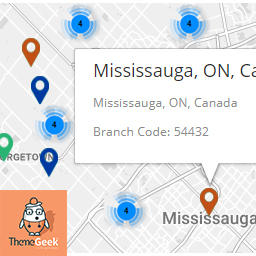
Descriere
Can be used as
- Branch/Store/office Locator
- Property Listing
- Office Listing
- Whatever else you can imagine listing on map
Features
- Creates searchable lists in seconds
- Customizeable markers/Icons – Assign your own marker, or choose one from defaults included.
- Live Suggestion while you type
- Auto Fetching of Longitude/Latitude
- Custom fields Addition option
- Allow users to search by text and location.
- Auto updating lists – Lists will automatically update when locations are added.
Newly Added Features – version 1.1
- Can Set custom zoom value from settings page
- Clusterization Added – best for large no of markers
- Enable/Disable clusterization from settings page
- Set Custom style for map, matching your website from settings page
Newly Added Features – version 1.3
- Map automatically fits itself around the markers, no matter how many there are, or how big the area they cover
Premium Feature for FREE
Filter Locations By City
- Add cities
- Assign cities to location
- Filter Location by cities dropdown on front-end
Need more custom features ?
- Get in touch with us at, support@themegeek.io
Capturi ecran

Selected location On Map, along with auto calculated longitude/latitude.
Instalare
- Upload
locatorLTE.zipto the/wp-content/plugins/directory - Activate the plugin through the ‘Plugins’ menu in WordPress
Întrebări frecvente
- Installation Instructions
-
- Upload
locatorLTE.zipto the/wp-content/plugins/directory - Activate the plugin through the ‘Plugins’ menu in WordPress
- Upload
- How to Install
-
- Upload
locatorLTE.zipto the/wp-content/plugins/directory - Activate the plugin through the ‘Plugins’ menu in WordPress
- Upload
- How to Use Plugin
-
- To use the plugin, After activating the plugin, place shortcode „[locatorlte]” in any page.
- Plugin will show „Branches” Tab.
- To use map service, you will need to enter Google Map API Key on locatorLTE Settings Page ( Settings > LocatorLTE Settings ).
Recenzii

22 aprilie 2018
Like it, and the filtering by city feature is great, easy to set up.

31 martie 2018
Nice plugin, had the features that i was looking for, plus it was quite easy to use, thumbs up.
Contributori și dezvoltatori
„LocatorLTE – Premium Store Locator” este un software open-source. La acest modul au contribuit următoarele persoane.
Contributori
Tradu „LocatorLTE – Premium Store Locator” în limba ta.
Te interesează dezvoltarea?
Răsfoiește codul, vezi depozitarul SVN, sau abonează-te la jurnalul de dezvoltare prin RSS.
Istoric modificări
1.0
- Initial release
1.1
- Custom Zoom Option Added
- Custom Styles Option Added
- Clusterization Implemented
- Clusterization disable/enable option added
1.2
- Minor Bug fixes
1.3
- Filter By Cities features addition
- Map Bound Feature addition